• Skip to primary navigation
  • Skip to main content
bookpublisher.sg logo

Book Printing Singapore

Book Printing and Book Binding Services

  • Home
  • Book Printing Service
  • Book Publishing Services
    • Self-Publishing Services
  • Flyer Pamphlet Printing Service
  • Blog
  • Contact Us

admin

书籍印刷费用详解:了解价格构成因素

June 30, 2025 by admin

印刷一本书籍,看似简单,但其实价格的背后包含许多复杂的因素。了解这些影响成本的关键要素,有助于您在选择印刷服务时做出更明智的决定,同时也能帮助您合理预算,获得性价比更高的印刷成品。

本文将带您详细解析书籍印刷费用的主要构成,帮助您清楚知道每一分钱花在哪里。
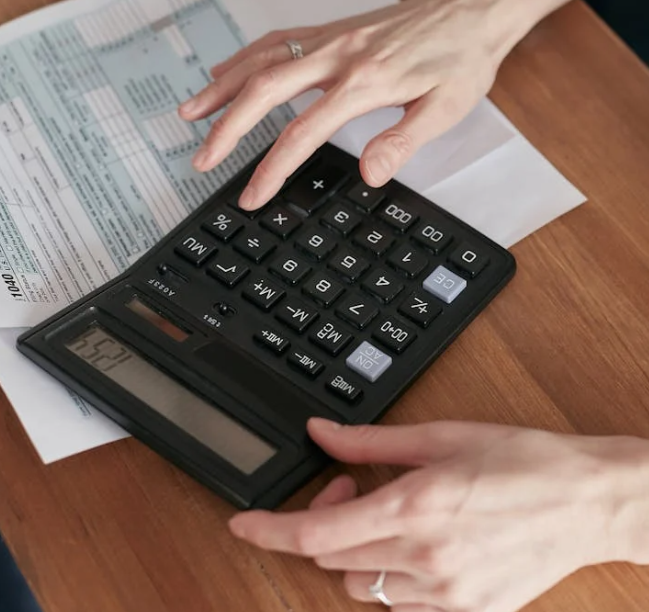
书籍印刷费用详解:了解价格构成因素

1. 纸张类型与克重

纸张是印刷成本中最主要的部分之一。不同类型和厚度的纸张价格差异明显:

  • 纸张种类:涂布纸、非涂布纸、哑光纸、光面纸等,不同材质价格不同,通常涂布纸和高档纸张价格更高。
  • 克重(GSM):纸张越厚重,单价越高,印刷成本自然也更高。高克重纸张适合封面或高档画册,普通内页多用较轻薄的纸。

因此,根据书籍性质选择合适的纸张类型和克重,是控制成本的重要手段。

2. 印刷数量

印刷数量对单价影响巨大。通常印刷批量越大,单本成本越低,因为很多成本是固定的:

  • 起印量:印刷厂通常有最低起订量,少量印刷成本较高。
  • 批量经济效应:大量印刷时,机器调试、人工费等固定成本分摊到每本书上更低。

如果您预算有限且需要大量书籍,建议选择批量印刷来降低单本价格。

3. 装订方式

装订影响书籍的耐用性与美观,也直接影响价格。常见装订方式有:

  • 平装(胶装):适合小说、教科书,成本较低。
  • 精装(硬壳):封面加硬纸板包覆布料或皮革,价格较高,适合高端礼品书。
  • 骑马钉:常用于小册子或杂志,成本低,但页数有限。
  • 无线胶装:页数多且结实,成本适中。

装订方式选择应考虑书籍用途及预算。

4. 颜色与印刷工艺

印刷颜色数和工艺决定油墨用量及复杂度:

  • 彩色印刷:四色印刷(CMYK)价格高于单色印刷。
  • 黑白印刷:适合文字书籍,成本较低。
  • 特殊工艺:如烫金、局部UV、烫银等,会增加印刷成本,但能提升书籍档次感。

根据需求合理选择颜色和工艺,可以节省费用同时保持效果。

5. 书籍页数与尺寸

书籍的总页数和尺寸直接决定用纸量和装订难度:

  • 页数越多,用纸量越大,成本自然上升。
  • 书籍尺寸:大开本书比小开本书用纸多,价格相应增加。

合理设计书籍结构,避免不必要的浪费,也有助于控制成本。

6. 后期加工与装饰

印刷完成后的加工工序也会影响价格,包括:

  • 覆膜:保护封面,增加耐磨性,常见有哑膜和亮膜,价格略高。
  • 烫金烫银:提升质感,成本较高。
  • 裁切、压痕:需要特殊设备,增加费用。
  • 装盒、套装:如礼盒包装,显著提升整体成本。

根据书籍定位选择合适的后期加工,兼顾美观与预算。

7. 设计与排版服务

如果您需要印刷公司提供设计、排版等服务,这部分费用也会计入总价。专业设计会提高书籍吸引力,但成本较高。自行准备设计稿可以节省部分费用。

8. 运输与物流

印刷完成后的运输成本也不容忽视,尤其是跨区域运输。大批量印刷时,运输费用相对占比降低,但如果要求快递或特殊物流,费用会上升。

9. 额外因素

  • 印刷速度:急单通常会有加急费。
  • 印刷设备:数字印刷适合小批量,成本相对较高;传统胶印适合大批量,单价更低。
  • 环保材料:使用环保纸张和油墨成本较高,但对品牌形象有利。

总结

书籍印刷价格由多种因素综合决定,理解这些因素有助于您更精准地预算和选择合适的印刷方案:

费用因素影响程度建议
纸张类型与克重高根据书籍用途合理选择,平衡质量和成本
印刷数量高大批量印刷降低单价
装订方式中选择适合书籍用途的装订方式
颜色与工艺中只选用必要的颜色和工艺
书籍页数尺寸中优化结构设计,避免浪费纸张
后期加工低到中根据预算选择必要的加工
设计服务低自行设计节省费用
运输物流低规划合理物流方案,降低运输费用

若您想进一步了解如何在预算内获得优质书籍印刷,欢迎联系专业印刷服务商进行详细咨询。
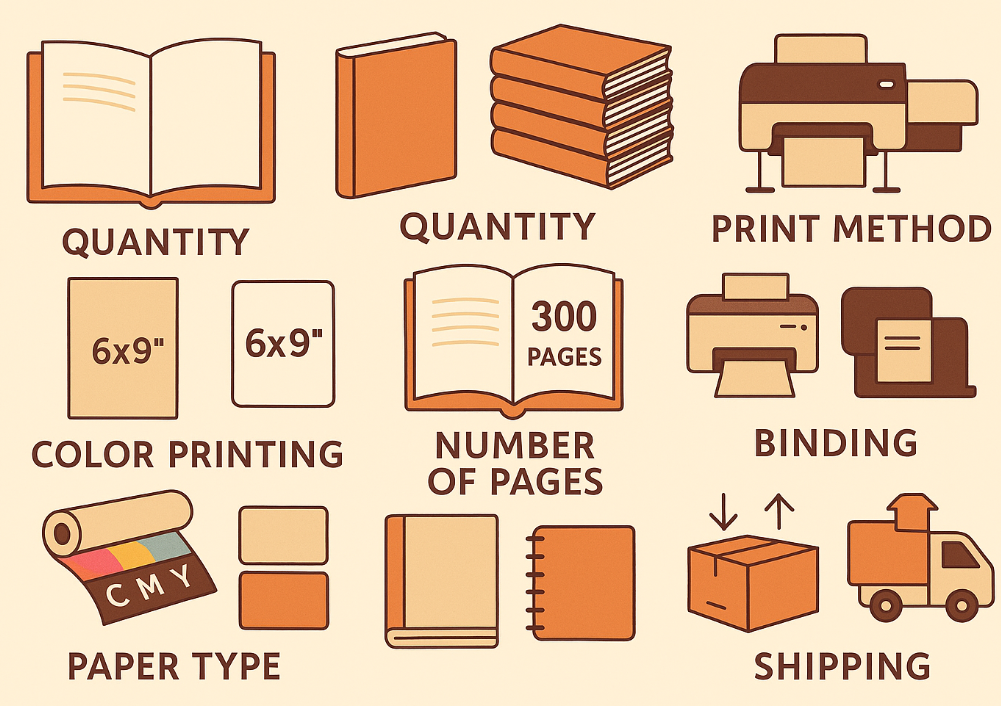
Filed Under: 书籍印刷

Book Printing Cost Breakdown: What Affects the Price of Your Print Job

June 21, 2025 by admin

If you’ve ever requested a quote for printing a book and found the price surprisingly high—or low—you’re not alone. Book printing involves many variables, and even small changes in specifications can significantly impact the total cost. Understanding what goes into the pricing helps you make informed decisions and control your budget without sacrificing quality.

Book Printing Cost Breakdown: What Affects the Price of Your Print Job

In this guide, we’ll break down the key cost factors in book printing and how you can optimize them to suit your needs and budget.


1. Print Quantity (Volume)

One of the most significant price factors is how many copies you plan to print. Generally, printing more books brings the cost per unit down—thanks to economies of scale.

Example:

  • 50 copies: $8 per book
  • 500 copies: $3 per book
  • 2,000 copies: $1.50 per book

This is especially true for offset printing, which has higher setup costs but lower unit costs for large runs. If you’re printing fewer than 100 books, digital printing is often more economical.


2. Book Size and Dimensions

The trim size of your book determines how much paper is used per copy. Standard sizes like A5 or 6”x9” are more cost-effective because they match standard printing and binding formats.

Custom sizes = higher cost

Custom-sized books require special setup or more paper trimming, which increases waste and labor.

Tip: Stick to common sizes unless your project truly demands a unique format.


3. Number of Pages

More pages = more paper = more cost.

Book thickness impacts:

  • Printing time
  • Paper usage
  • Binding method
  • Shipping weight

If you’re printing a long manuscript, consider:

  • Reducing font size or spacing (without harming readability)
  • Using thinner paper (lower GSM)
  • Eliminating unnecessary blank pages or image spreads

4. Paper Type and Quality

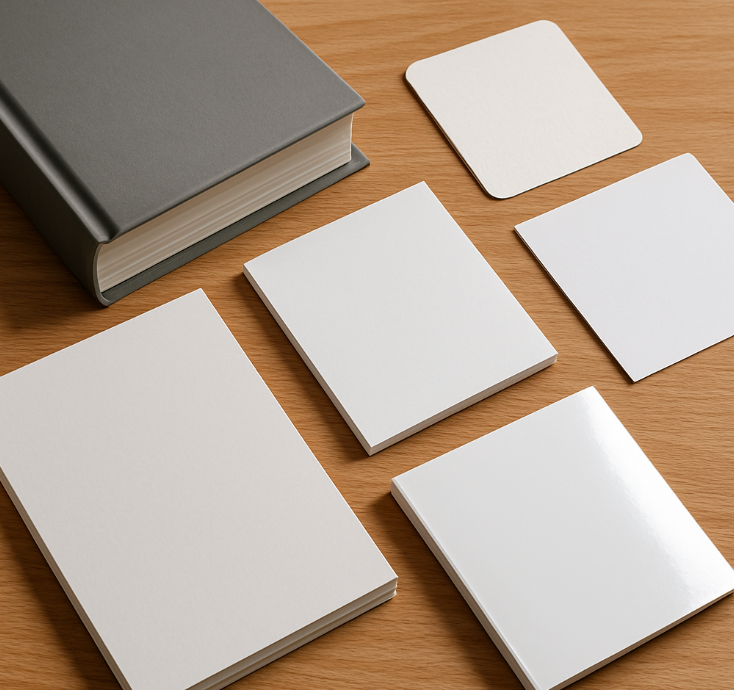
Paper is one of the biggest price drivers in book printing. Your choice affects both aesthetics and budget.

Consider:

  • GSM (weight): Higher GSM = thicker, more premium, but more expensive
  • Finish: Glossy and matte coated papers are pricier than uncoated
  • Type: Recycled or FSC-certified paper may have a small premium

Interior pages often use 80–120 GSM; covers typically use 200–350 GSM.


5. Color vs. Black and White Printing

Full-color pages cost significantly more than black and white. This is because color printing uses CMYK ink combinations, requiring more passes and ink.

Cost-saving tip:

Only use color for sections that need it. For example:

  • Print the cover and a few image pages in color
  • Keep the rest of the book in black and white

This is called spot color usage and is ideal for cookbooks, reports, or academic material.


6. Binding Method

How your book is bound impacts cost and durability.

Binding TypeDescriptionCost Level
Saddle StitchingStaples through spine, for booklets (≤ 60 pages)Low
Perfect BindingGlued spine, used for most softcover booksMedium
Case Binding (Hardcover)Stitched/glued and enclosed in rigid coverHigh
Spiral/Wire-O BindingMetal or plastic coil for manuals, plannersMedium-High

Hardcover books have a premium feel but cost 2–3x more than softcover.


7. Cover Type and Finishes

A book’s cover often determines its first impression—so many clients invest more here. The cost depends on:

  • Paper thickness (typically 250–350 GSM)
  • Lamination (matte, gloss, soft-touch)
  • Special finishes (embossing, foil stamping, spot UV)

These options can elevate the look of your book—but add to production time and cost.


8. Print Method: Digital vs. Offset

Print MethodBest ForSetup CostPer Unit Cost
DigitalSmall runs (10–100 books)LowHigh
OffsetBulk orders (500+ books)HighLow

Digital printing is faster and more flexible for smaller quantities.
Offset printing is ideal for large runs with consistent quality and color.


9. Turnaround Time

If you need your books urgently, be prepared to pay more. Express or same-day printing adds a rush fee to accommodate:

  • Overtime labor
  • Priority handling
  • Expedited shipping

Plan ahead if you want to avoid paying premium for last-minute production.


10. Shipping and Packaging

Don’t forget to factor in the delivery cost—especially if your books are heavy or shipped internationally. Variables include:

  • Quantity and weight
  • Packaging material
  • Delivery speed
  • Destination

Some printers offer free local delivery or discounts for bulk shipping.


11. Design Services and Prepress

If you don’t already have a print-ready file, most printers offer:

  • Typesetting
  • Cover design
  • Interior layout
  • File formatting (PDF/X standards)

These services are usually charged separately or as part of a package.


12. Miscellaneous Factors

Other variables that may impact cost:

  • ISBN registration
  • Proof copies
  • Custom inserts (flyers, QR cards)
  • Multiple versions (e.g., softcover and hardcover)

These elements may seem minor individually but can add up quickly in a large order.


How to Get the Best Value

Here are a few tips to optimize your print budget without compromising on quality:

  1. Request Multiple Quotes
    Compare at least 2–3 printers for the same spec to understand market rates.
  2. Order in Batches
    Don’t under- or overestimate your quantity. Plan for reprints if demand is uncertain.
  3. Use Templates
    Ask your printer for layout templates. This avoids costly formatting errors.
  4. Choose Standard Specs
    Use common sizes and paper types to avoid custom fees.
  5. Ask About Promotions
    Some printers offer seasonal discounts or volume incentives.

Conclusion

Book printing costs depend on a wide range of factors—from quantity and paper type to binding and turnaround time. By understanding what drives the price, you can make smarter choices that fit your vision and budget.

Whether you’re self-publishing your first novel or printing marketing materials for your business, knowing where to invest and where to save can help you get the most out of your project. Always work with a trusted printer who’s transparent with pricing and willing to explain the cost components.

Need a personalized quote or want to see samples? Reach out to a professional book printer and start planning your next project with confidence.


Filed Under: Book Printing

为什么选择正确的纸张类型对书籍印刷很重要?

June 14, 2025 by admin

在书籍印刷过程中,纸张的选择是决定最终成品质量和成本的重要因素之一。无论您是准备印刷小说、教材、摄影集,还是企业手册,选对纸张不仅能提升书籍的视觉效果和触感,还能影响印刷的整体预算。因此,了解不同纸张类型的特点及其适用场景,对于每一个准备印刷书籍的客户来说都至关重要。

为什么选择正确的纸张类型对书籍印刷很重要?

1. 纸张的基本分类

通常,纸张可以按照表面处理方式、厚度(克重)以及涂层有无来分类。主要包括:

  • 哑光纸(Matte Paper)
    表面无光泽,手感柔和,减少反光,适合文字较多的书籍如小说和教科书。
  • 光面纸(Glossy Paper)
    表面光滑有光泽,色彩鲜艳,细节清晰,非常适合印刷图片丰富的摄影集或画册。
  • 涂布纸(Coated Paper)
    表面经过涂层处理,提升印刷效果,使色彩更鲜明且细节更清晰。
  • 非涂布纸(Uncoated Paper)
    无涂层,手感自然,适合需要书写或标注的书籍,如笔记本或手册。

2. 克重(GSM)与纸张厚度

GSM(Gram per Square Meter,克/平方米)是衡量纸张厚度和重量的标准,数值越大表示纸张越厚重。常见书籍纸张的克重范围大致为:

  • 内页纸张:通常在70-120 GSM之间,较轻薄,适合大量文字内容,降低书籍厚度和成本。
  • 封面纸张:一般使用较厚的纸张,如200-300 GSM,增加坚固感和耐用性。

选择合适的克重不仅影响书籍的耐用性,也关系到携带便利性和手感体验。

3. 不同纸张类型适合的书籍类别

书籍类型纸张推荐说明
小说、散文集哑光纸,70-90 GSM便于阅读,减少反光,轻薄便携
教材、手册非涂布纸,80-100 GSM便于书写和标注,耐用
摄影集、画册光面涂布纸,150-200 GSM色彩还原好,图像清晰鲜艳
儿童图书哑光或光面涂布纸,120-150 GSM耐用且吸引儿童注意力

4. 纸张对印刷效果的影响

不同纸张对油墨的吸收能力不同,直接影响印刷颜色的鲜艳度和清晰度。例如,涂布纸能够防止油墨渗透,使图片更加明亮且细节丰富;而非涂布纸则更适合纯文字类内容,避免光泽分散注意力。

此外,选择合适的纸张还可以影响书籍的翻阅感受。过薄的纸张可能透光,影响阅读体验;过厚的纸张则增加成本和书籍重量。

5. 纸张选择对成本的影响

纸张的种类和克重直接决定了印刷成本。高质量涂布纸价格较高,适合追求高端效果的印刷项目;而普通非涂布纸成本较低,适合大批量、预算有限的项目。

合理选择纸张,可以在保证印刷质量的前提下,最大限度地控制印刷成本,帮助客户获得最佳性价比。

6. 结语

总之,选择合适的纸张类型,是确保书籍印刷项目成功的关键一步。了解不同纸张的特性和适用范围,可以帮助您根据书籍内容和用途做出明智的选择,既提升读者体验,又合理控制预算。

如果您准备印刷书籍,建议与专业印刷服务商沟通,结合实际需求选择最合适的纸张方案。这样,您的书籍不仅美观耐用,也能在市场中更具竞争力。

Filed Under: 书籍印刷

How to Choose the Right Paper Type for Your Book Printing Project?

June 7, 2025 by admin

When it comes to book printing, content may be king—but presentation is its queen. One of the most overlooked yet crucial decisions you’ll make is choosing the right paper type. The quality, texture, weight, and finish of the paper not only affect how your book feels in the reader’s hands but also how your content is perceived. Whether you’re printing a novel, brochure, photo book, or workbook, understanding paper types can make or break the final product.

How to Choose the Right Paper Type for Your Book Printing Project?

In this article, we’ll walk you through the most important aspects of selecting paper for your book printing project—from finish to thickness to environmental impact.


1. The Two Main Categories: Coated vs. Uncoated Paper

All paper used in printing generally falls into one of two categories:

Coated Paper

Coated paper has a smooth finish thanks to a special coating layer, which helps control ink absorption. It provides sharper text and more vibrant images. Coated paper is commonly used in:

  • Photo books
  • Brochures
  • Cookbooks
  • Catalogs

There are two main finish types:

  • Glossy (Gloss Coated): Reflective and vibrant. Great for image-heavy books.
  • Matte (Matte Coated): Less reflective with a smooth, elegant look. Suitable for text-heavy yet visually appealing books.

Uncoated Paper

Uncoated paper has a natural, rougher texture and absorbs ink more readily. This makes it ideal for books that are primarily text-based, such as:

  • Novels
  • Journals
  • Workbooks
  • Poetry books

It offers a more traditional, tactile reading experience and is easier to write on, which is why it’s also used in planners and notebooks.


2. Paper Weight: Understanding GSM

GSM stands for grams per square meter—a measure of paper thickness and sturdiness. Here’s a quick guide to common GSM values used in book printing:

GSMTypical Use
80–100Lightweight, used for novels and journals
115–135Magazines, booklets, inner pages with color
150–170Brochures, thick text-heavy pages
200–250Posters, covers, art books
300+Business cards, hardcover covers

Tip:

  • For text pages, 80–120 GSM is standard.
  • For covers, 200–300 GSM gives a premium feel.
  • For photo books or coffee table books, go for 170+ GSM to support vivid printing and prevent bleed-through.

3. Finish Options: Matte vs. Glossy vs. Silk

Once you pick a GSM, you’ll choose a finish that complements your book’s purpose:

Gloss Finish

  • Shiny and vibrant
  • Enhances photo and image reproduction
  • Prone to fingerprints
  • Reflective under light

Best for: Travel guides, children’s books, photography portfolios

Matte Finish

  • Soft, non-reflective appearance
  • Feels premium and elegant
  • Easier to read under light
  • Hides fingerprints

Best for: Self-help books, biographies, professional publications

Silk/Satin Finish

  • In-between gloss and matte
  • Slight sheen with soft texture
  • Modern and versatile

Best for: High-end brochures, magazines, design portfolios


4. Interior vs. Cover Paper: Use Different Types

Your book’s interior pages and cover serve different purposes and should typically use different paper types.

Interior Pages:

Choose lighter GSM, usually between 80 to 150. Consider how the paper feels when flipping, how text sits on the page, and if color illustrations are used.

Cover:

Choose a heavier stock (200–350 GSM) for durability. You can also apply finishes like lamination, spot UV, or embossing for a standout look.


5. Environmental Considerations

Eco-conscious printing is becoming increasingly popular. If sustainability matters to you or your brand, consider:

  • Recycled paper: Made from post-consumer waste, available in both coated and uncoated options.
  • FSC-certified paper: From responsibly managed forests.
  • Soy-based inks: More environmentally friendly than petroleum-based inks.

You can also inform your customers that your books were printed sustainably—this adds a branding advantage, especially for conscious audiences.


6. Cost Considerations

Higher GSM and specialty finishes increase printing costs. Here’s how to keep your budget in check:

  • Balance between GSM and quantity: A thicker paper feels better but adds cost per page. For large runs, a slightly thinner stock may be more economical.
  • Consider duplex printing: Printing on both sides saves cost and reduces bulk.
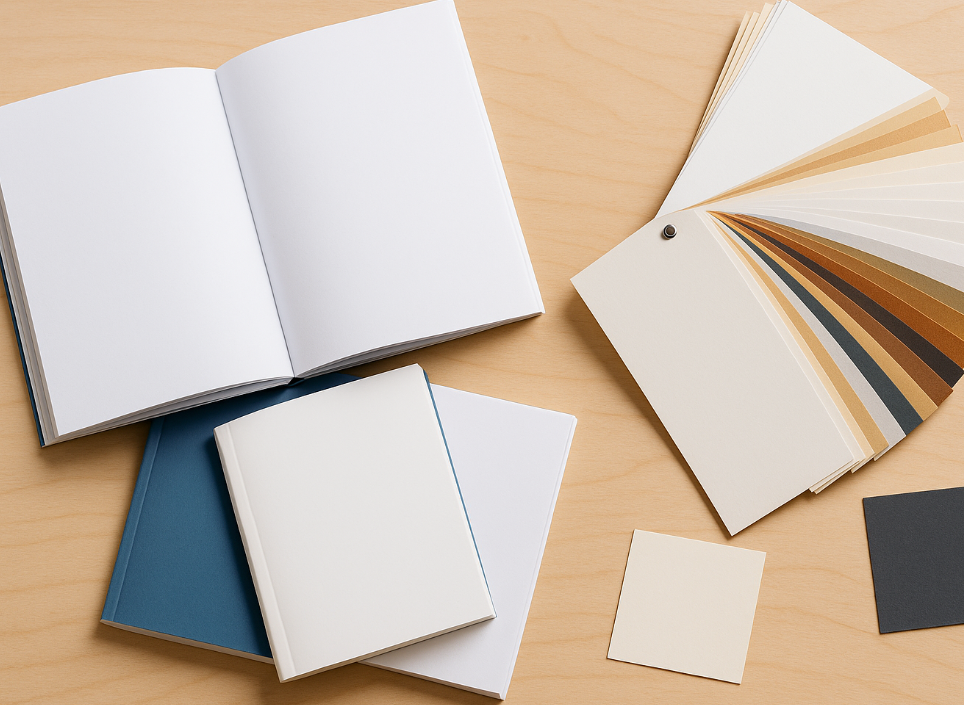
  • Print samples: Most printers offer paper sample books or test runs. Always feel the paper before you commit to a large order.

7. Final Use and Target Audience Matter

Your ideal paper type depends heavily on who your audience is and how the book will be used:

Book TypeRecommended Paper
Novels80–100 GSM uncoated for comfortable reading
Children’s Books150–200 GSM glossy for vibrant illustrations
Cookbooks170–200 GSM matte for easy cleanup and readability
Planners/Workbooks100–120 GSM uncoated (easy to write on)
Coffee Table Books200+ GSM glossy or silk

8. Questions to Ask Your Printer

Before printing, ask:

  • Can I see physical paper samples?
  • What paper stocks do you recommend for my book type?
  • Is the paper acid-free (important for long-term storage)?
  • Can you match specific colors accurately on this paper type?
  • Is recycled or FSC-certified paper available?

A good printer will walk you through the best options for your goals and budget.


Conclusion

Choosing the right paper is more than just a technical step in book printing—it directly influences your book’s feel, functionality, and first impression. Whether you’re self-publishing a novel or printing marketing materials for your business, understanding the key factors—coated vs. uncoated, GSM, finish, and audience use—will ensure you get a professional result that resonates with your readers.

Need help deciding? Speak with your printing service provider and request sample kits to make the best choice for your project.


Filed Under: Book Printing

在线快速打印服务:你需要了解的一切

May 25, 2025 by admin

在当今快节奏的商业环境中,时间至关重要。无论你是准备营销材料的小企业主、赶着提交作业的学生,还是需要紧急印刷传单的活动组织者,快速打印服务都成为了不可或缺的解决方案。借助互联网的便利,快速打印服务比以往任何时候都更加易于访问——在线平台让你上传文件、选择打印规格,并在极短的时间内收到成品。

本文将为你全面解析在线快速打印服务,包括它的定义、运作方式、优点、如何选择服务商,以及确保高效率与高质量的实用建议。

在线快速打印服务:你需要了解的一切

什么是在线快速打印服务?

在线快速打印服务是指通过数字平台提供的、支持当天或次日完成的远程打印解决方案。用户可以在网站上上传文档或设计稿,选择纸张类型、尺寸、装订方式、颜色等选项,然后将成品打印品快递到家、办公室或其他指定地点。

常见的在线快速打印产品包括:

  • 小册子和宣传册
  • 传单和折页
  • 名片
  • 海报和横幅
  • 报告与文档
  • 邀请函和贺卡
  • 相册和日历

为什么选择在线快速打印?

相比传统的实体打印店,使用在线快速打印服务具有多种优势:

1. 便利性高

随时随地下单,无需亲自前往打印店、排队或反复跑腿。从上传文件到付款,整个流程只需几分钟。

2. 速度快

多数在线平台提供当天制作、次日送达的服务,有些还能提供即时电子校稿,大大节省沟通和审批的时间。

3. 产品种类丰富

相比传统打印店,在线平台往往支持更多类型的打印项目和自定义选项,纸张、尺寸、涂层和装订方式多样。

4. 性价比高

由于不需要实体门店成本,在线服务商通常能提供更具竞争力的价格,尤其适合预算有限的小型企业。

5. 自定义操作简单

大多数平台都提供所见即所得的在线预览和价格计算工具,一些甚至附带模板和在线设计功能,适合没有专业设计软件的用户。


在线快速打印流程详解

在线快速打印服务一般包含以下几个步骤:

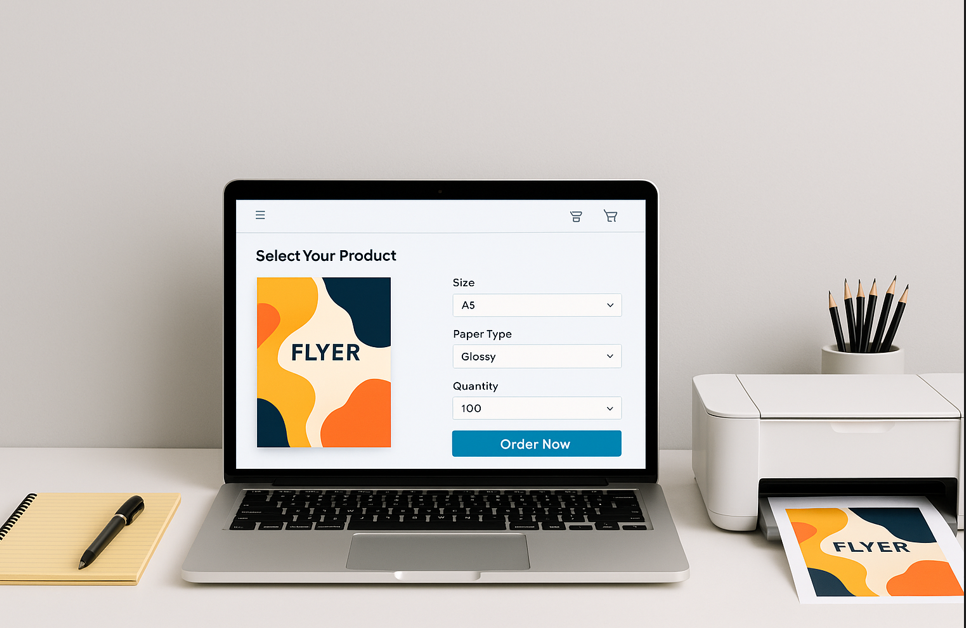
第一步:选择产品类型

进入服务商网站,选择你需要打印的产品,如传单、小册子、名片等。

第二步:设置打印参数

选择纸张尺寸、类型、厚度、颜色选项、表面处理(如光膜、哑膜、UV)及装订方式(如骑马钉、胶装、环装)等。

第三步:上传文件

多数平台支持PDF格式,也有支持JPG、PNG、DOCX等。确保文件分辨率高(至少300dpi),并包含出血线和边距。

第四步:校稿确认

有些平台提供自动在线校稿预览,确认文字、图片、排版是否正确,避免印刷错误。

第五步:结账付款

确认订单后选择支付方式,常见方式包括信用卡、PayNow(新加坡)、PayPal等。

第六步:送货或自取

可选择快递送达(当天或次日),有些服务商也提供自取点。


如何选择优秀的在线快速打印服务商?

并非所有在线打印服务都一样,以下几个关键因素值得考量:

✔ 打印速度与承诺时间

是否真的能当天制作、次日送达?是否有明确的交付时间说明?

✔ 打印质量保障

查看客户评价或索取样本,关注纸张质量、色彩还原、装订效果是否稳定。

✔ 平台界面友好

界面是否操作流畅、移动设备兼容?是否提供模板、设计建议或客服支持?

✔ 送货与物流选择

是否提供同城当天快递?是否有物流追踪功能?

✔ 价格是否透明

价格计算器是否实时?是否存在隐藏费用?是否支持批量折扣?

✔ 客服响应速度

一旦遇到问题,客服能否及时响应?是否支持在线聊天、电话或快速邮件回复?


在线快速打印的常见使用场景

以下是几个典型的应用场景:

  • 临时商务展示材料:需要隔天就能拿到专业的演示文稿和装订文件。
  • 活动宣传:马上举办活动?上传你的设计,几个小时内就能收货。
  • 学生作业打印:课程报告、海报、项目文件,全部线上完成,不用奔波打印店。
  • 婚礼或派对邀请函:临时决定加印邀请函?快速打印服务帮你快速完成。
  • 市场推广物料:参加展会或产品发布会前夕,批量印制宣传册、横幅、目录快速高效。

提高效率与质量的小技巧

  1. 文件准备到位:优先使用PDF格式,确保字体与图片嵌入,包含出血和裁切线。
  2. 优先选择标准尺寸:如A4、A5或名片尺寸,印刷速度快、成本低。
  3. 尽早下单:同日打印的订单建议上午提交,给制作和配送留足时间。
  4. 认真检查校稿:最终内容你负责,确保无拼写错误、图像清晰、排版正确。
  5. 写清特别说明:如有特殊装订或处理要求,在下单备注中说明,或直接联系客服。

总结

在线快速打印服务彻底改变了传统打印的流程,让个人和企业用户都能在紧急情况下轻松完成高质量印刷项目。无论是日常办公、市场推广,还是个人创作、活动筹备,选择可靠的在线打印平台就像拥有一个随时待命的数字印刷助手。

选择之前,不妨多浏览几家服务商的评价、价格与交付方式,找到最适合你需求的平台。当高效与高质齐头并进,在线快速打印将成为你事业和生活中不可或缺的得力帮手。

Filed Under: 书籍印刷

Express Printing Services Online: What You Need to Know

May 18, 2025 by admin

In today’s fast-paced business environment, time is of the essence. Whether you’re a small business owner preparing marketing materials, a student submitting last-minute assignments, or an event organizer needing urgent printed flyers, express printing services have become a vital solution. Thanks to the convenience of the internet, express printing services are now more accessible than ever—online platforms allow you to upload your files, choose your print specifications, and get your materials delivered in record time.

This guide covers everything you need to know about express printing services online, including what they are, how they work, their advantages, what to look for in a provider, and tips for ensuring quality and speed.


What Are Express Printing Services Online?

Express printing services online refer to digital platforms that offer fast, often same-day or next-day, printing solutions through a fully remote process. Customers can upload documents or designs directly on the website, specify options such as paper type, size, finish, and binding, and then receive their printed products delivered to their home, office, or chosen location.

Common materials you can print through express online printing services include:

  • Booklets and brochures
  • Flyers and leaflets
  • Business cards
  • Posters and banners
  • Reports and documents
  • Invitations and greeting cards
  • Photobooks and calendars

Why Choose Express Printing Online?

There are several reasons to use express printing services online instead of visiting a traditional print shop:

1. Convenience

The most obvious advantage is the ability to place orders 24/7 from anywhere. There’s no need to travel to a print shop, queue up, or coordinate multiple visits. You can complete the entire process—from file upload to payment—within minutes.

2. Speed

Many online printers offer same-day production and overnight delivery. Some services even provide instant digital proofing, which reduces back-and-forth approval time and accelerates the workflow.

3. Wider Range of Products

Online platforms often support a broader variety of products and customizations than walk-in print shops. You can often choose from dozens of paper types, coatings, binding options, and formats.

4. Cost-Effectiveness

Without physical storefront costs, online print providers often pass the savings on to customers. Many offer competitive pricing and bulk discounts, which are ideal for businesses managing tight budgets.

5. Ease of Customization

Digital platforms make it easy to customize your print project with visual previews and real-time cost calculators. Some even include design templates and editing tools for those who don’t have access to professional design software.


How Online Express Printing Works

Here’s a step-by-step breakdown of how online express printing typically works:

Step 1: Choose Your Product

Visit the website of the online print provider and select the item you want to print—be it a flyer, booklet, or business card.

Step 2: Configure Specifications

You’ll be prompted to choose specifications like:

  • Size (A5, A4, custom)
  • Paper Type (matte, gloss, recycled)
  • Paper Thickness (e.g., 128gsm, 157gsm, 250gsm)
  • Color or Black & White
  • Finishing Options (lamination, UV coating, die-cut)
  • Binding (staple, glue, ring)

Step 3: Upload Your Files

Most platforms accept PDFs, but many also support JPG, PNG, and DOCX. It’s important to ensure your files are high-resolution (300 dpi or more) and include bleed and margin guides if necessary.

Step 4: Review Proof

Some websites provide an automatic digital proof. Carefully review this to ensure that your design is correctly aligned, colors look accurate, and fonts are embedded properly.

Step 5: Checkout and Pay

Once you confirm the order details, proceed to checkout. Many platforms offer multiple payment methods, including credit card, PayNow (in Singapore), PayPal, and others.

Step 6: Delivery or Pickup

Depending on your location and urgency, you can choose same-day courier delivery, next-day shipping, or pick-up from a designated location if available.


Key Features to Look for in an Online Express Printing Provider

Not all online printing services are created equal. Here are some critical factors to evaluate before choosing one:

✔ Speed and Turnaround Time

Make sure the provider offers genuine express service. Look for clear turnaround commitments like “same-day printing” or “24-hour dispatch.”

✔ Quality Assurance

Check customer reviews, request a sample pack, or browse their gallery to judge print quality. Look for consistency in color reproduction, paper quality, and binding.

✔ Ease of Use

A good online interface is key. It should be intuitive, mobile-friendly, and informative. Bonus points if they provide free templates or design assistance.

✔ Delivery Options

Do they offer same-day delivery in your region? Is there a tracking system for orders? These factors matter, especially if you’re printing for time-sensitive events.

✔ Pricing Transparency

A reliable service should offer instant quotes with no hidden fees. Be cautious if pricing seems unusually low—quality or customer service might suffer.

✔ Customer Support

Responsive customer support is vital if something goes wrong. Look for services that offer live chat, phone support, or at least fast email responses.


Use Cases: When to Use Online Express Printing

Here are some common scenarios where online express printing services can save the day:

  • Last-Minute Business Pitch: Need a professional presentation printed and bound overnight? Online express printing delivers quickly and with high quality.
  • Event Flyers: Hosting an event or promotion this weekend? Upload your design and get flyers delivered in hours.
  • School Projects: Students with tight deadlines can print and bind reports, posters, and assignments without scrambling to find a print shop.
  • Wedding or Party Invitations: Forgot to print invites? Online printing services let you choose premium finishes and have them sent out within 24–48 hours.
  • Marketing Collateral: Preparing for a trade show or product launch? Use express services to print brochures, banners, and catalogs in bulk with fast delivery.

Tips for Better Results with Online Express Printing

  1. Prepare Print-Ready Files: Use PDF format with embedded fonts and images. Include crop marks and bleeds if required.
  2. Stick to Standard Sizes: A4, A5, and business card sizes are quicker and cheaper to produce.
  3. Order Early in the Day: For same-day printing, submit your files in the morning to give the provider enough time to process and ship your order.
  4. Double-Check Your Proof: Typos, misalignments, and image blurriness are your responsibility, so review everything before hitting “Submit.”
  5. Communicate Clearly: If you have special instructions, make sure to mention them during checkout or contact customer support directly.

Final Thoughts

Online express printing services are a game-changer for individuals and businesses alike. With the ability to order anytime, get products delivered quickly, and maintain high standards of quality, these services are the future of printing. Whether you’re a small business, a student, or an event planner, express printing gives you the flexibility and speed you need—without sacrificing quality.

Before choosing a provider, take time to review their service offerings, customer reviews, and delivery options. When used effectively, online express printing becomes more than just a convenience—it becomes a reliable partner in your success.

Filed Under: Book Printing

  • « Go to Previous Page
  • Page 1
  • Interim pages omitted …
  • Page 3
  • Page 4
  • Page 5
  • Page 6
  • Page 7
  • Page 8
  • Go to Next Page »

Copyright © 2026

WhatsApp us