• Skip to primary navigation
  • Skip to main content
bookpublisher.sg logo

Book Printing Singapore

Book Printing and Book Binding Services

  • Home
  • Book Printing Service
  • Book Publishing Services
    • Self-Publishing Services
  • Flyer Pamphlet Printing Service
  • Blog
  • Contact Us

Book Publishing

How Much Should You Print? Choosing the Right Book Printing Quantity

July 25, 2026 by admin

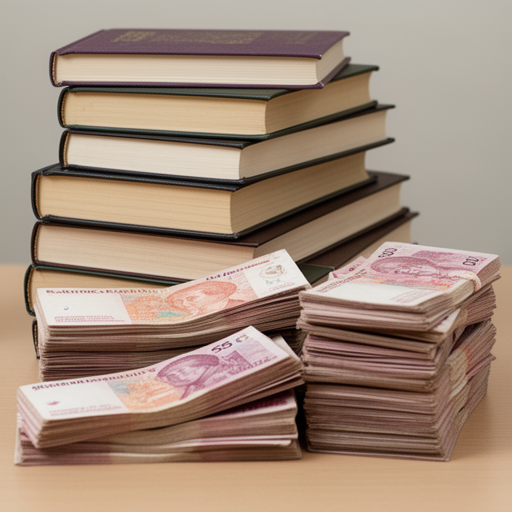
One of the most overlooked decisions in book printing is how many copies to print. Many authors either print too few (leading to reprints and higher cost) or too many (resulting in wasted stock and storage issues).
How Much Should You Print? Choosing the Right Book Printing Quantity

Choosing the right quantity is a balance between budget, demand, and purpose. This guide will help you decide the most practical print run size for your book in Singapore.


Table of Contents

  1. Why Printing Quantity Matters
  2. Understanding Print Run Basics
  3. Printing 10–50 Copies
  4. Printing 50–200 Copies
  5. Printing 200–500 Copies
  6. Printing 500–1000+ Copies
  7. Factors That Affect Print Quantity
  8. Cost Per Book vs Total Cost
  9. Digital vs Offset Printing Impact
  10. Common Mistakes in Print Quantity Planning
  11. How to Decide the Right Quantity
  12. Final Thoughts

1. Why Printing Quantity Matters

Your printing quantity directly affects:

  • Total printing cost
  • Cost per book
  • Storage requirements
  • Risk of unsold stock
  • Flexibility for future changes

A poor decision here can either lock you into unnecessary expenses or create supply shortages.


2. Understanding Print Run Basics

A print run refers to the total number of copies printed in one batch.

In Singapore, most book printing falls into:

  • Short run (1–100 copies)
  • Medium run (100–500 copies)
  • Large run (500–1000+ copies)

Each range uses different printing methods and pricing structures.


3. Printing 10–50 Copies

Best for:

  • First-time authors testing a book
  • Personal or gift books
  • Sample copies for review

Advantages:

  • Very low upfront cost
  • Fast production time
  • Minimal risk

Limitations:

  • Highest cost per book
  • Not suitable for sales scaling

This is ideal if you’re still validating your book idea.


4. Printing 50–200 Copies

Best for:

  • Small business use
  • Niche audience distribution
  • Workshops or events

Advantages:

  • Balanced cost and flexibility
  • Suitable for early market testing
  • Easy to revise and reprint

Limitations:

  • Still relatively high unit cost

This is the most common range for self-publishers starting out.


5. Printing 200–500 Copies

Best for:

  • Established authors
  • Local distribution
  • Small retail sales

Advantages:

  • Lower cost per book
  • Better economies of scale
  • Suitable for marketing campaigns

Limitations:

  • Requires storage space
  • Higher upfront investment

This range is often the sweet spot for growing authors.


6. Printing 500–1000+ Copies

Best for:

  • Commercial publishing
  • Bookstore distribution
  • Educational institutions

Advantages:

  • Lowest cost per unit
  • Economical for bulk sales
  • Professional production scale

Limitations:

  • High upfront cost
  • Risk of unsold inventory
  • Longer production time (often offset printing)

This is only recommended when demand is already proven.


7. Factors That Affect Print Quantity

When deciding how many books to print, consider:

1. Purpose of the book

Sales, marketing, education, or personal use.

2. Audience size

How many readers are realistically reachable?

3. Budget

Higher quantity reduces unit cost but increases total investment.

4. Storage space

Books require physical storage and handling.

5. Future updates

If content may change, smaller runs are safer.


8. Cost Per Book vs Total Cost

There is a trade-off between unit cost and total cost:

QuantityCost per BookTotal Cost
Low (10–50)HighLow
Medium (100–300)ModerateModerate
High (500–1000+)LowHigh

Printing more reduces unit cost—but increases financial risk upfront.


9. Digital vs Offset Printing Impact

Digital printing:

  • Best for small to medium runs
  • No setup cost
  • Flexible and fast

Offset printing:

  • Best for large runs
  • Higher setup cost
  • Very low cost per unit at scale

Your printing method often determines the most efficient quantity range.


10. Common Mistakes in Print Quantity Planning

Many authors make these errors:

  • Printing too many copies too early
  • Underestimating demand for niche books
  • Ignoring storage costs
  • Not considering reprint flexibility
  • Focusing only on unit cost instead of total cost

Avoiding these mistakes can save significant money.


11. How to Decide the Right Quantity

Use this simple decision guide:

Ask yourself:

  • Is this my first book? → Start small (10–100 copies)
  • Do I have confirmed buyers? → 200–500 copies
  • Am I distributing widely? → 500+ copies
  • Is content likely to change? → Keep quantity low

Safe strategy:

Start small → test market → scale gradually


12. Final Thoughts

Choosing the right book printing quantity is about balancing risk and opportunity. Printing too many copies ties up money and storage, while printing too few can limit your reach.

For most authors and businesses in Singapore, the smartest approach is to start with a small or medium print run, evaluate demand, and then scale up based on real results.

A flexible printing strategy ensures you stay efficient, cost-effective, and responsive to your audience.
Filed Under: Book Printing, Book Publishing

Book Printing for Different Types of Authors: Novels, Textbooks, Photo Books & More

July 18, 2026 by admin

Not all books are printed the same way. The ideal printing setup depends heavily on the type of author and the purpose of the book.

A novel writer has very different needs compared to a photographer, educator, or business owner. Choosing the right printing approach ensures better quality, lower cost, and a more professional final result.

Book Printing for Different Types of Authors: Novels, Textbooks, Photo Books & More

This guide breaks down the best book printing options based on different author types in Singapore.


Table of Contents

  1. Why Book Type Matters in Printing
  2. Novel and Fiction Authors
  3. Academic and Textbook Authors
  4. Photo Book and Visual Creators
  5. Cookbook Authors
  6. Business and Corporate Authors
  7. Self-Publishing First-Time Authors
  8. Children’s Book Authors
  9. Training Manual and Workbook Authors
  10. Choosing the Right Printing Setup
  11. Final Thoughts

1. Why Book Type Matters in Printing

Every book type has different requirements for:

  • Colour usage
  • Paper quality
  • Binding strength
  • Layout structure
  • Cost efficiency

A mismatch between book type and printing method can lead to poor readability, wasted budget, or a low-quality finish.


2. Novel and Fiction Authors

Best printing setup:

  • Black and white interior
  • A5 size (most common)
  • Paperback (perfect binding)
  • Matte paper

Why this works:

Novels are text-heavy, so visual elements are minimal. The focus is on readability and cost efficiency.

Key considerations:

  • Keep margins comfortable for long reading
  • Avoid unnecessary design complexity
  • Prioritise lightweight and portable format

3. Academic and Textbook Authors

Best printing setup:

  • Black and white or selective colour
  • A4 size
  • Spiral or perfect binding
  • Durable paper

Why this works:

Textbooks often contain diagrams, charts, and structured content.

Key considerations:

  • Use clear headings and spacing
  • Ensure diagrams are high resolution
  • Choose binding that allows easy page flipping

4. Photo Book and Visual Creators

Best printing setup:

  • Full colour printing
  • Glossy or premium matte paper
  • Square or custom large formats
  • Hardcover binding

Why this works:

Visual impact is the main priority.

Key considerations:

  • Use high-resolution images (300 DPI minimum)
  • Maintain colour consistency (CMYK)
  • Avoid compression or low-quality images

5. Cookbook Authors

Best printing setup:

  • Full colour printing
  • Thick glossy paper
  • A4 or custom size
  • Hardcover or strong perfect binding

Why this works:

Cookbooks rely heavily on food photography and visual appeal.

Key considerations:

  • Ensure images are vibrant and sharp
  • Use wipe-resistant or laminated covers
  • Organise recipes with clear structure

6. Business and Corporate Authors

Best printing setup:

  • Colour or black and white (depending on branding)
  • A4 or custom corporate size
  • Perfect binding or hardcover
  • Matte finish for professional look

Why this works:

Corporate books are used for branding, marketing, and presentations.

Key considerations:

  • Include brand colours consistently
  • Keep layout clean and minimal
  • Add logos and professional formatting

7. Self-Publishing First-Time Authors

Best printing setup:

  • Black and white interior (to start)
  • A5 size
  • Digital printing
  • Paperback binding

Why this works:

First-time authors usually test the market before scaling.

Key considerations:

  • Start with small print runs
  • Focus on cost control
  • Revise content easily before reprinting

8. Children’s Book Authors

Best printing setup:

  • Full colour printing
  • Thick coated paper
  • Square or custom sizes
  • Hardcover binding

Why this works:

Children’s books rely on visuals, durability, and engagement.

Key considerations:

  • Bright, engaging colours
  • Strong binding for repeated use
  • Rounded edges for safety (if applicable)

9. Training Manual and Workbook Authors

Best printing setup:

  • Black and white or limited colour
  • A4 size
  • Spiral binding
  • Writable paper (slightly thicker stock)

Why this works:

These books are designed for interaction and frequent use.

Key considerations:

  • Leave space for writing notes
  • Ensure pages can lie flat easily
  • Use structured formatting with clear sections

10. Choosing the Right Printing Setup

Use this simple guide:

Author TypeBest Printing Choice
Novel WriterB&W, A5, paperback
Academic AuthorB&W/A4, durable binding
PhotographerColour, hardcover
Cookbook AuthorColour, glossy hardcover
Corporate AuthorColour/B&W, premium finish
First-Time AuthorB&W, small run
Children’s BookColour, hardcover
Trainer/CoachB&W, spiral binding

11. Final Thoughts

There is no one-size-fits-all approach to book printing. The best results come from matching your book type, audience, and purpose with the right printing method.

By choosing the correct setup from the beginning, you can:

  • Reduce unnecessary printing costs
  • Improve reader experience
  • Enhance your book’s professional quality
  • Avoid redesign or reprinting issues

Understanding your author type is one of the most important steps in producing a successful printed book.

Filed Under: Book Printing, Book Publishing

Custom Book Printing in Singapore: How to Create a Book That Matches Your Vision

July 11, 2026 by admin

Custom book printing is the process of creating a book that is tailored specifically to your needs—whether in design, size, binding, paper type, or finishing. Instead of fitting your content into a standard format, you get full control over how your book looks and feels.

Custom Book Printing in Singapore: How to Create a Book That Matches Your Vision

This makes custom printing especially popular among authors, businesses, educators, and brands in Singapore who want their book to stand out.


Table of Contents

  1. What Is Custom Book Printing?
  2. Why Custom Book Printing Matters
  3. Types of Customisation Available
  4. Choosing the Right Book Size
  5. Custom Cover Design Options
  6. Paper Types and Texture Choices
  7. Binding Styles for Custom Books
  8. Special Finishing Options
  9. Cost Factors for Custom Book Printing
  10. Who Should Use Custom Book Printing
  11. Common Mistakes to Avoid
  12. How to Plan Your Custom Book Project
  13. Final Thoughts

1. What Is Custom Book Printing?

Custom book printing refers to creating books with fully tailored specifications, including:

  • Unique book sizes
  • Custom cover designs
  • Choice of paper type
  • Binding style selection
  • Special finishes like lamination or embossing

Unlike standard printing, it allows you to design a book that reflects your exact purpose and identity.


2. Why Custom Book Printing Matters

A custom-printed book is more than just a product—it is a presentation of your message, brand, or creativity.

It helps you:

  • Stand out from generic books
  • Enhance perceived value
  • Align the book with branding or personal style
  • Improve reader experience

For businesses, it can directly strengthen brand identity and credibility.


3. Types of Customisation Available

Modern book printing services in Singapore offer a wide range of customisation options:

  • Book size (A4, A5, square, custom dimensions)
  • Colour or black and white interior
  • Cover material and finish
  • Binding method
  • Paper thickness and texture
  • Page layout and design structure

Each choice affects both appearance and cost.


4. Choosing the Right Book Size

Book size impacts usability, cost, and design layout.

Common choices include:

  • A5: Compact, ideal for novels and guides
  • A4: Best for manuals, textbooks, and workbooks
  • Square formats: Popular for photo books and creative projects
  • Custom sizes: Used for premium branding or unique concepts

Smaller sizes are more portable, while larger formats allow better visual presentation.


5. Custom Cover Design Options

Your cover is the most important visual element of your book.

Custom options include:

  • Matte or glossy lamination
  • Softcover or hardcover
  • Spot UV (highlighting specific areas)
  • Foil stamping (gold, silver, metallic effects)
  • Embossing or debossing

A well-designed cover increases both perceived value and reader interest.


6. Paper Types and Texture Choices

Paper selection affects both readability and tactile experience.

Popular options:

  • Matte paper: Easy to read, reduces glare
  • Glossy paper: Enhances images and colours
  • Cream paper: Comfortable for long reading sessions
  • Thick paper: Premium feel, often used in art books

Choosing the right paper depends on whether your book is text-heavy or image-focused.


7. Binding Styles for Custom Books

Binding determines durability and presentation style.

Common options:

  • Perfect binding: Clean and professional (most popular)
  • Hardcover binding: Premium and long-lasting
  • Saddle stitching: Best for short booklets
  • Spiral binding: Practical for workbooks and manuals

Each binding type gives a different reading experience.


8. Special Finishing Options

Finishing techniques elevate your book from standard to premium.

Options include:

  • Lamination (matte or gloss)
  • UV coating for highlights
  • Foil stamping for titles or logos
  • Textured covers
  • Edge colouring

These details are often used for branding or high-end publishing.


9. Cost Factors for Custom Book Printing

Customisation affects pricing in several ways:

  • Book size (larger = higher cost)
  • Colour vs black and white printing
  • Paper thickness and quality
  • Binding type (hardcover is more expensive)
  • Special finishes
  • Print quantity

The more custom features you add, the higher the production cost—but also the higher the perceived value.


10. Who Should Use Custom Book Printing

Custom book printing is ideal for:

  • Self-published authors
  • Corporate businesses
  • Marketing and branding teams
  • Schools and educational institutions
  • Designers and photographers
  • Event organisers and publishers

It is especially useful when presentation matters as much as content.


11. Common Mistakes to Avoid

Many people make avoidable mistakes when ordering custom books:

  • Choosing overly complex designs that increase cost
  • Ignoring print file requirements (bleed, margins, resolution)
  • Selecting wrong binding for page count
  • Not requesting a sample proof
  • Underestimating production time

Proper planning avoids unnecessary delays and reprints.


12. How to Plan Your Custom Book Project

To ensure a smooth process:

Step 1: Define your purpose

What is the book for—sales, branding, education, or gifting?

Step 2: Choose specifications early

Size, binding, and paper should be decided before design starts.

Step 3: Prepare print-ready files

Ensure correct resolution, margins, and formatting.

Step 4: Request a proof

Always check a physical or digital sample before full printing.


13. Final Thoughts

Custom book printing gives you full creative control over how your book looks, feels, and performs. While it may require more planning and cost than standard printing, the result is a professional product tailored exactly to your vision.

Whether you are publishing a novel, building a brand book, or creating educational material, custom printing ensures your book stands out in both design and quality.

Filed Under: Book Printing, Book Publishing

Colour Book Printing vs Black and White Book Printing: Which One Should You Choose?

July 4, 2026 by admin

When printing a book, one of the most important decisions is whether to use colour printing or black and white printing. This choice affects not only the cost, but also readability, visual impact, and the overall professionalism of your book.

Colour Book Printing vs Black and White Book Printing: Which One Should You Choose?

Choosing the wrong option can make your book look either too expensive or visually underwhelming. This guide will help you decide which is right for your project.


Table of Contents

  1. Understanding Colour vs Black and White Printing
  2. What Is Colour Book Printing?
  3. What Is Black and White Book Printing?
  4. Cost Differences Explained
  5. Print Quality and Visual Impact
  6. Best Use Cases for Colour Printing
  7. Best Use Cases for Black and White Printing
  8. Hybrid Printing (Mixing Colour and B&W)
  9. How Printing Method Affects Colour Output
  10. Common Mistakes When Choosing Print Type
  11. How to Decide Which Option Is Right for You
  12. Final Recommendation

1. Understanding Colour vs Black and White Printing

At a basic level:

  • Colour printing uses a full CMYK spectrum (cyan, magenta, yellow, black) to produce full-colour images and graphics
  • Black and white printing uses only black ink (or grayscale tones)

While this seems simple, the impact on your book’s design, cost, and purpose is significant.


2. What Is Colour Book Printing?

Colour book printing produces pages with full-colour visuals, including:

  • Photographs
  • Illustrations
  • Charts and diagrams
  • Highlighted text or design elements

It is commonly used for books where visual presentation matters as much as content.


3. What Is Black and White Book Printing?

Black and white printing (also called grayscale printing) uses varying shades of grey to represent images and text.

It is ideal for:

  • Text-heavy books
  • Novels
  • Academic materials
  • Manuals and reports

It focuses on clarity and readability rather than visual appeal.


4. Cost Differences Explained

One of the biggest differences is cost.

Colour printing:

  • Higher production cost
  • More expensive per page
  • Best for image-heavy books

Black and white printing:

  • Much cheaper per page
  • Cost-efficient for large volumes
  • Ideal for bulk printing

Simple comparison:

Printing TypeCost LevelBest For
ColourHighVisual books, branding
Black & WhiteLowText-heavy content

5. Print Quality and Visual Impact

Colour printing:

  • Vibrant and visually engaging
  • Enhances branding and design
  • Makes images and illustrations stand out

Black and white printing:

  • Clean and minimal look
  • Focuses attention on content
  • More traditional publishing style

If your book relies on visuals, colour is almost always the better choice.


6. Best Use Cases for Colour Printing

Colour printing is ideal for:

  • Children’s books
  • Cookbooks
  • Photography books
  • Art and design portfolios
  • Corporate brochures and branding books
  • Educational books with diagrams

If visuals are part of your message, colour printing enhances value significantly.


7. Best Use Cases for Black and White Printing

Black and white printing is best for:

  • Novels and fiction books
  • Academic textbooks (text-heavy)
  • Training manuals
  • Journals and workbooks
  • Draft manuscripts or sample prints

It keeps production cost low while maintaining readability.


8. Hybrid Printing (Mixing Colour and B&W)

Many modern books use a mixed approach:

  • Colour cover + black and white interior
  • Selected colour pages (e.g. diagrams or highlights)
  • Colour inserts in specific chapters

This helps balance cost and visual quality.


9. How Printing Method Affects Colour Output

The printing method also affects how colour appears:

  • Digital printing: consistent colour, good for short runs
  • Offset printing: more accurate colour matching, better for large runs

Even in colour printing, results depend heavily on file preparation and calibration.


10. Common Mistakes When Choosing Print Type

Many authors make these mistakes:

  • Choosing colour when not necessary (increases cost unnecessarily)
  • Using black and white for image-heavy books (reduces quality)
  • Not considering target audience expectations
  • Ignoring printing budget vs value trade-off

A poor decision here can affect both sales and reader experience.


11. How to Decide Which Option Is Right for You

Ask yourself these questions:

1. Does my book rely on images or visuals?

  • Yes → choose colour
  • No → black and white is enough

2. Is budget a key concern?

  • Yes → black and white or hybrid printing

3. What is my audience expecting?

  • Corporate or premium audience → colour preferred
  • Academic or fiction readers → black and white is acceptable

4. Will colour improve understanding?

  • If yes → invest in colour printing

12. Final Recommendation

Choosing between colour and black and white printing is not just a cost decision—it’s a strategic publishing choice.

  • Use colour printing when visuals enhance meaning, branding, or reader engagement
  • Use black and white printing when clarity, cost efficiency, and readability are the priority
  • Consider a hybrid approach when you want balance between cost and impact

Final Thoughts

A well-printed book is not only about content—it is about presentation. The right printing style ensures your message is delivered clearly and professionally.

By understanding when to use colour or black and white printing, you can create a book that is both cost-effective and visually appropriate for your audience.

Filed Under: Book Printing, Book Publishing

Book Printing Mistakes That Can Ruin Your Final Book Quality (and How to Avoid Them)

June 27, 2026 by admin

Even a well-written book can look unprofessional if something goes wrong during the printing process. The problem is that most printing mistakes are not obvious on screen—they only show up after the book is printed.

Book Printing Mistakes That Can Ruin Your Final Book Quality (and How to Avoid Them)

This guide covers the most common book printing mistakes, why they happen, and how to avoid them so your final book looks clean, sharp, and professional.


Table of Contents

  1. Why Printing Mistakes Happen
  2. Using Low-Resolution Images
  3. Incorrect Bleed and Trim Setup
  4. Wrong File Format Submission
  5. Fonts Not Embedded Properly
  6. Colour Mismatch (RGB vs CMYK)
  7. Poor Margin and Text Layout
  8. Spine Width Miscalculation
  9. Missing or Incorrect Page Numbering
  10. Ignoring Proof Copy Checks
  11. Overcomplicating Design for Print
  12. How to Avoid Book Printing Mistakes
  13. Final Thoughts

1. Why Printing Mistakes Happen

Most printing issues come from one of three sources:

  • File not prepared for print standards
  • Lack of technical knowledge about print requirements
  • Skipping the proofing stage

Unlike digital design, book printing is physical—so small errors become permanent once printed.


2. Using Low-Resolution Images

One of the most common and damaging mistakes.

Problem:

Images look fine on screen but appear blurry in print.

Why it happens:

  • Screens display at 72 DPI
  • Print requires at least 300 DPI

Result:

  • Pixelated photos
  • Unprofessional appearance
  • Reduced book quality

How to avoid it:

  • Always use high-resolution images (300 DPI minimum)
  • Avoid screenshots or compressed images
  • Check image size before placing into layout

3. Incorrect Bleed and Trim Setup

Bleed is the extra area beyond the final cut size.

Problem:

White edges or cut-off text after trimming.

Why it happens:

  • No bleed added to file
  • Important elements placed too close to edges

Result:

  • Uneven borders
  • Cropped design elements

Solution:

  • Add 3–5mm bleed on all sides
  • Keep important text inside safe margins

4. Wrong File Format Submission

Problem:

Submitting editable files instead of print-ready PDFs.

Why it matters:

Printers need fixed-layout files.

Common mistakes:

  • Sending Word documents
  • Sending Canva links without export settings
  • Using low-quality JPEGs instead of PDF

Solution:

  • Always export as high-resolution print-ready PDF
  • Embed fonts and images before exporting

5. Fonts Not Embedded Properly

Problem:

Fonts change unexpectedly during printing.

Why it happens:

Printer system does not have your custom fonts installed.

Result:

  • Layout shifts
  • Text overflow
  • Broken formatting

Solution:

  • Embed fonts when exporting PDF
  • Or convert text to outlines before export

6. Colour Mismatch (RGB vs CMYK)

Problem:

Colours look different in print than on screen.

Why it happens:

  • Screens use RGB colour mode
  • Printing uses CMYK colour mode

Result:

  • Dull or darker colours
  • Unexpected colour shifts

Solution:

  • Design in CMYK mode from the start
  • Do a test print if colour accuracy is critical

7. Poor Margin and Text Layout

Problem:

Text too close to edges or spine.

Why it matters:

It affects readability and binding quality.

Result:

  • Hard-to-read pages
  • Text disappearing into binding area

Solution:

  • Use proper inner gutter margins
  • Increase spacing for thicker books
  • Keep consistent layout grid

8. Spine Width Miscalculation

Problem:

Cover spine does not align properly.

Why it happens:

Spine width depends on:

  • Page count
  • Paper thickness
  • Binding type

Result:

  • Misaligned cover design
  • Text shifting off-centre

Solution:

  • Get printer to calculate spine width
  • Update cover file if page count changes

9. Missing or Incorrect Page Numbering

Problem:

Pages are out of order or missing numbers.

Result:

  • Confusing reading experience
  • Unprofessional finish

Solution:

  • Use automatic page numbering tools
  • Always double-check final PDF export
  • Review page sequence before printing

10. Ignoring Proof Copy Checks

Problem:

Skipping or rushing proof review.

Why it’s dangerous:

Errors only become visible after printing.

Result:

  • Entire batch may need reprinting
  • Increased cost and delay

Solution:

  • Always request a proof copy
  • Check every page carefully
  • Confirm colour, layout, and binding quality

11. Overcomplicating Design for Print

Problem:

Design too complex for printing limitations.

Examples:

  • Heavy gradients
  • Transparent overlays
  • Overuse of special effects

Result:

  • Inconsistent print output
  • Higher production cost

Solution:

  • Keep design clean and print-friendly
  • Focus on readability and structure

12. How to Avoid Book Printing Mistakes

To ensure smooth printing:

Pre-print checklist:

  • Use 300 DPI images
  • Export PDF with embedded fonts
  • Apply correct bleed and margins
  • Design in CMYK mode
  • Confirm spine width
  • Proofread thoroughly
  • Review proof copy carefully

A simple checklist can prevent most expensive mistakes.


13. Final Thoughts

Most book printing mistakes are avoidable with proper preparation. The key is understanding that printing is not just design—it is a technical process that requires accuracy.

If you follow proper formatting rules and always review a proof copy before final production, your book will look professional and consistent from cover to cover.

A well-prepared file is the difference between an average print job and a high-quality published book.

Filed Under: Book Printing, Book Publishing

Book Printing for Small Quantities: Is Short Run Printing Worth It?

June 20, 2026 by admin

Not every book project needs thousands of copies. In fact, many authors, businesses, and creators only need a small batch—sometimes as few as 10 to 100 copies.

This is where short run book printing becomes a practical and cost-effective solution. But is it really worth it compared to traditional bulk printing?

Book Printing for Small Quantities: Is Short Run Printing Worth It?

This guide breaks down when small quantity book printing makes sense, how it works, and what you should consider before choosing it.


Table of Contents

  1. What Is Short Run Book Printing?
  2. Who Should Use Small Quantity Printing?
  3. How Short Run Printing Works
  4. Digital Printing vs Offset Printing for Small Runs
  5. Cost Breakdown: Is It More Expensive Per Book?
  6. Advantages of Printing Small Quantities
  7. Limitations of Short Run Book Printing
  8. When Short Run Printing Is the Best Choice
  9. When You Should Avoid Small Quantity Printing
  10. How to Reduce Cost for Small Print Runs
  11. Final Verdict: Is It Worth It?

1. What Is Short Run Book Printing?

Short run book printing refers to producing a low number of copies, typically:

  • 1 to 50 copies (very small run)
  • 50 to 200 copies (standard short run)
  • 200 to 500 copies (medium short run)

Unlike traditional offset printing, which requires large print volumes to be cost-efficient, short run printing uses digital printing technology, allowing flexibility and lower upfront costs.


2. Who Should Use Small Quantity Printing?

Short run printing is ideal for:

  • First-time authors testing the market
  • Self-publishers with limited budget
  • Businesses producing internal manuals or training books
  • Schools printing course materials
  • Event organisers needing limited editions
  • Creators producing personalised or niche books

If you are unsure about demand, starting small is often the safest approach.


3. How Short Run Printing Works

Short run printing uses digital printers that directly print from your file without requiring printing plates.

Process overview:

  1. Submit print-ready PDF
  2. File is checked for errors
  3. Digital printing begins immediately
  4. Pages are printed in sequence
  5. Binding is applied (perfect binding, saddle stitch, etc.)
  6. Final trimming and finishing
  7. Quality check and delivery

Because there is no heavy setup process, turnaround is much faster than offset printing.


4. Digital Printing vs Offset Printing for Small Runs

FeatureDigital PrintingOffset Printing
Best forSmall quantitiesLarge quantities
Setup costLowHigh
Cost per bookHigherLower (bulk)
SpeedFastSlower setup
FlexibilityHighLow
Custom changesEasyDifficult

For small runs, digital printing is almost always the better choice.


5. Cost Breakdown: Is It More Expensive Per Book?

Yes—short run printing usually has a higher cost per unit.

Example:

  • 20 copies → higher cost per book
  • 200 copies → lower cost per book
  • 1000 copies → significantly cheaper per book

However, the key advantage is that you avoid large upfront investment, which reduces financial risk.

You only pay for what you actually need.


6. Advantages of Printing Small Quantities

1. Lower upfront cost

You don’t need to commit to large inventory.

2. Reduced risk

Ideal if you’re unsure about demand.

3. Faster production

Books can be printed within days.

4. Easy updates

You can revise content and reprint anytime.

5. Storage savings

No need to store hundreds of unsold books.


7. Limitations of Short Run Book Printing

Despite its benefits, there are some drawbacks:

  • Higher cost per book
  • Limited bulk discounts
  • Not ideal for mass distribution
  • Some finishing options may be restricted
  • Less economical for reprints in large volume

Understanding these limitations helps you plan better.


8. When Short Run Printing Is the Best Choice

Short run printing is ideal when:

  • You are launching a new book for testing
  • You need samples for publishers or investors
  • You are selling in a niche market
  • You want personalised or limited-edition books
  • You are printing training or internal materials

It is especially useful for first-time authors in Singapore who are unsure about demand.


9. When You Should Avoid Small Quantity Printing

Short run printing may not be suitable if:

  • You already have high confirmed demand
  • You are distributing nationwide or globally
  • You need thousands of copies for retail stores
  • Your cost per book must be extremely low

In these cases, offset printing becomes more economical.


10. How to Reduce Cost for Small Print Runs

Even with short run printing, you can optimise costs:

1. Choose standard book sizes

A5 and A4 are usually more affordable.

2. Limit colour pages

Use black and white where possible.

3. Use standard binding

Perfect binding is usually the most cost-efficient.

4. Simplify design

Avoid heavy graphics or special finishes unless necessary.

5. Print in batches

Start small, then scale based on demand.


11. Final Verdict: Is It Worth It?

Short run book printing is absolutely worth it if your goal is:

  • Flexibility
  • Low risk
  • Fast turnaround
  • Market testing

However, if your goal is mass distribution at the lowest cost per book, then bulk offset printing is more suitable.

In most modern publishing scenarios, especially for self-publishers and small businesses, short run printing is the smart starting point before scaling up.


Final Thoughts

Short run printing has changed the publishing landscape by making book production accessible to everyone. Instead of committing to large, expensive print runs, you can now start small, test your idea, and grow at your own pace.

For many authors and businesses in Singapore, this approach offers the perfect balance between cost control and creative flexibility.

Filed Under: Book Printing, Book Publishing

  • « Go to Previous Page
  • Page 1
  • Page 2
  • Page 3
  • Page 4
  • Page 5
  • Interim pages omitted …
  • Page 9
  • Go to Next Page »

Copyright © 2026

WhatsApp us