• Skip to primary navigation
  • Skip to main content
bookpublisher.sg logo

Book Printing Singapore

Book Printing and Book Binding Services

  • Home
  • Book Printing Service
  • Book Publishing Services
    • Self-Publishing Services
  • Flyer Pamphlet Printing Service
  • Blog
  • Contact Us

Book Publishing

How Much Does Book Printing Cost in Singapore? A Complete Guide to Book Printing Prices

September 27, 2026 by admin

Printing a book is an exciting step for authors, publishers, businesses, schools and organisations. However, one of the first questions most people ask is: how much does it cost to print a book in Singapore?

There is no single price that applies to every book. The final cost depends on several factors, including the number of pages, book size, paper type, colour printing, binding, cover finishing and quantity.

Understanding these factors can help you prepare a realistic budget and choose printing specifications that suit your project.
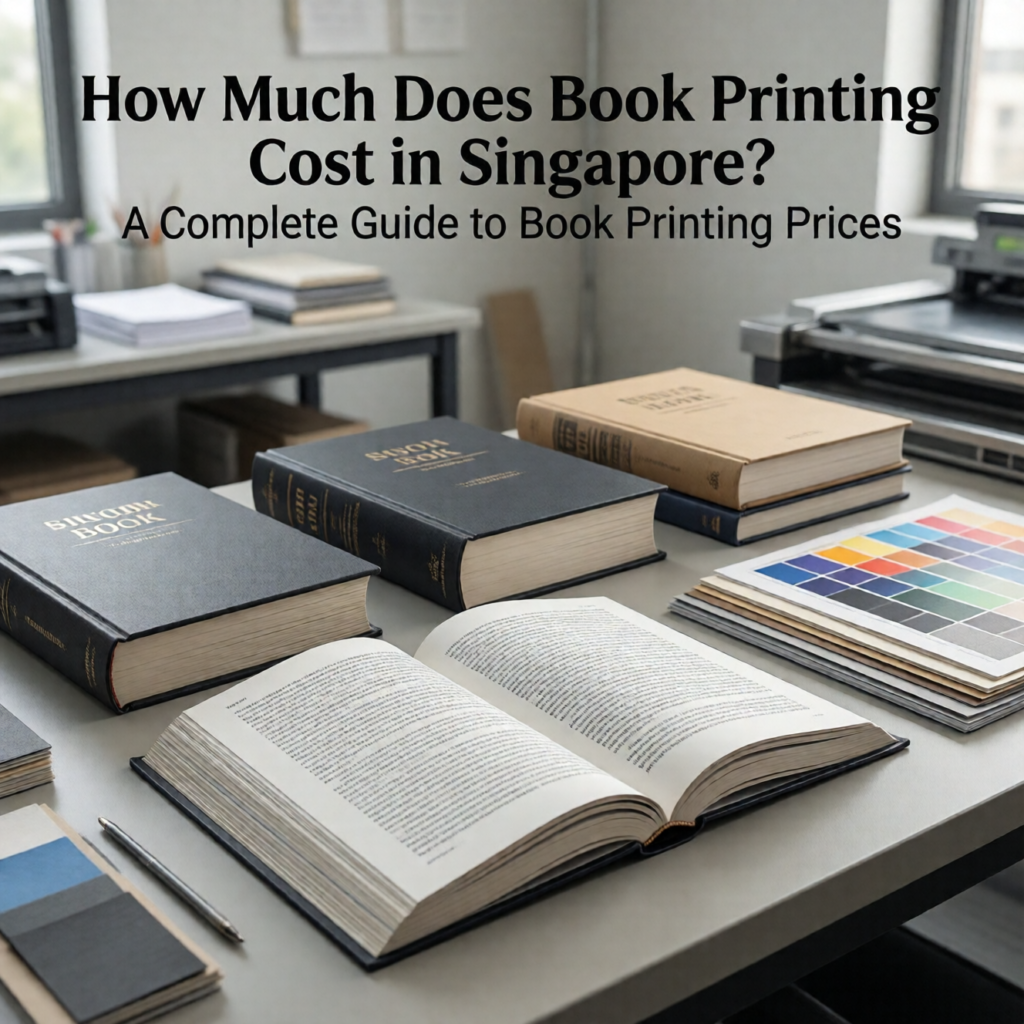
Whether you are printing a novel, children’s book, textbook, company publication, workbook or self-published title, this guide explains the main factors that affect book printing cost in Singapore.

Table of Contents

  1. What Determines Book Printing Cost?
  2. Number of Pages
  3. Book Size
  4. Colour or Black-and-White Printing
  5. Paper Type and Thickness
  6. Cover Options
  7. Binding Methods
  8. Printing Quantity
  9. Finishing Options
  10. How to Reduce Book Printing Costs
  11. What to Include When Requesting a Quote
  12. Final Thoughts

1. What Determines Book Printing Cost?

The cost of printing a book is influenced by both the physical specifications of the book and the quantity being produced.

Some of the most important factors include:

  • Number of pages
  • Finished book size
  • Paper type
  • Paper thickness
  • Colour or black-and-white printing
  • Cover material
  • Binding method
  • Cover finishing
  • Printing quantity
  • Additional finishing requirements

For example, a 100-page black-and-white paperback will generally require a different production process from a 300-page full-colour hardcover photo book.

This is why a printer will usually ask for detailed specifications before providing an accurate quotation.

2. Number of Pages

The number of pages is one of the most obvious factors affecting the cost of a printed book.

A book with fewer pages requires less paper and generally requires less printing time. A longer book requires more materials and production resources.

For example, a short booklet containing 40 pages will have very different production requirements from a 300-page novel.

However, adding pages does not necessarily mean that the total price increases at exactly the same rate. Printing costs can depend on how the pages are produced, assembled and bound.

Authors should therefore provide the printer with the final or estimated page count when requesting a quotation.

It is also important to remember that the cover may be calculated separately from the internal pages.

3. Book Size

The physical size of a book can also affect the overall printing cost.

Common book formats include smaller paperback sizes, standard novel formats, A4-style books and square formats.

Larger books may require more paper per page, while smaller books can sometimes use paper more efficiently.

The ideal size depends on the purpose of the publication.

For example:

  • Novels often use compact formats that are comfortable to hold.
  • Textbooks may require larger pages for diagrams and tables.
  • Children’s books may benefit from larger pages and illustrations.
  • Workbooks may require sufficient space for writing.
  • Photo books may use larger formats to showcase images.

Choosing a standard and practical book size can sometimes help simplify production and control costs.

4. Colour or Black-and-White Printing

Colour printing is another major factor to consider when calculating book printing prices in Singapore.

A black-and-white novel with primarily text-based content may have different printing requirements from a full-colour children’s book or photography book.

Before choosing full-colour printing for every page, consider whether colour is actually necessary.

For text-heavy publications such as novels, reports or certain educational materials, black-and-white internal pages may be suitable.

For publications containing photographs, illustrations, charts or colourful designs, colour printing may be essential to achieve the intended result.

If your book contains a mixture of text and colour images, discuss the available printing options with your printer to determine the most suitable approach.

5. Paper Type and Thickness

Paper contributes to both the physical feel and the cost of a book.

Different types of paper are suitable for different applications.

For example, a novel may use paper designed for comfortable reading, while a photography book may benefit from paper that reproduces images with greater visual impact.

Paper thickness also affects the final thickness and weight of the book.

When selecting paper, consider:

  • Readability
  • Opacity
  • Thickness
  • Weight
  • Surface finish
  • Image reproduction
  • Writing suitability

Choosing the thickest or most expensive paper is not necessarily the best solution.

The right paper should match the purpose of the publication while remaining within your budget.

6. Cover Options

The cover is another important part of the book printing quotation.

A basic softcover may be suitable for novels, manuals and many self-published books, while a more substantial hardcover can provide a premium appearance and additional durability.

Cover costs can depend on:

  • Cover material
  • Cover thickness
  • Colour printing
  • Cover size
  • Finishing
  • Binding method

The cover artwork should also be prepared according to the printer’s specifications, including the correct dimensions and bleed.

A professionally designed cover can make a significant difference to the appearance of the finished publication.

7. Binding Methods

Binding is both a practical and visual consideration.

Different books require different binding methods depending on their page count, intended use and desired appearance.

Common options can include:

  • Perfect binding
  • Saddle stitching
  • Spiral binding
  • Hardcover binding

Perfect binding is commonly associated with paperback books and can provide a clean, professional appearance.

Saddle stitching can be suitable for thinner publications, while spiral binding can be useful for workbooks and documents that need to open flat.

Hardcover binding can provide a more premium and durable presentation.

The most suitable option depends on your book rather than simply choosing the most expensive method.

8. Printing Quantity

The number of copies you print can have a significant impact on the cost per book.

Printing a larger quantity can often reduce the average cost per copy because certain setup and production costs are spread across more books.

For example, printing 500 copies may result in a lower cost per book than printing only a small number of copies, depending on the production method and specifications.

However, ordering a larger quantity also means spending more money upfront and storing more books.

Authors should therefore balance the unit price against their expected demand.

If you are self-publishing, it may be useful to estimate how many copies you realistically expect to sell rather than ordering a very large quantity simply to obtain a lower unit price.

9. Finishing Options

Additional finishing can change the final appearance and cost of a book.

Depending on the project, finishing options may include different cover laminations, coatings or special treatments.

For example, a matte finish can create a smooth and understated appearance, while a gloss finish can provide a more reflective surface.

Finishing can also provide additional protection against everyday handling.

When requesting a quotation, make sure any finishing requirements are clearly specified so that the quoted price reflects the actual finished product you want.

10. How to Reduce Book Printing Costs

There are several practical ways to manage your printing budget without sacrificing the professional appearance of the book.

First, choose a suitable book size rather than automatically selecting the largest format.

Second, consider whether every page needs to be printed in colour.

Third, select paper that matches the purpose of the book instead of choosing unnecessarily expensive stock.

Fourth, compare different binding options based on the intended use.

Finally, consider the quantity carefully. A larger print run may reduce the cost per copy, but only if you can reasonably use or sell the additional books.

The cheapest option is not always the best option. The goal should be finding a balance between quality, functionality and cost.

11. What to Include When Requesting a Quote

To receive a more accurate book printing quotation, provide as much information as possible.

Useful specifications include:

  • Book title
  • Finished size
  • Number of pages
  • Number of copies
  • Colour or black-and-white pages
  • Paper requirements
  • Cover type
  • Binding method
  • Cover finishing
  • Delivery requirements

You can also provide a print-ready PDF if the layout has already been completed.

Having these details ready makes it easier for a printing company to understand the project and recommend appropriate production options.

If you are unsure about the best specifications, explain how the book will be used. A professional printer can then help you identify suitable paper, binding and finishing choices.

12. Final Thoughts

The cost of book printing in Singapore depends on much more than the number of pages.

Book size, paper, colour printing, cover specifications, binding, finishing and print quantity can all influence the final quotation.

Instead of focusing only on finding the lowest price, consider what your readers will expect from the finished publication.

A novel may prioritise comfortable reading and affordable production, while a photography book may require high-quality colour reproduction and premium paper. A workbook may need durable binding and pages suitable for writing.

The best approach is to determine your requirements first and then request a quotation based on the complete specifications.

For authors, businesses, schools and organisations planning a new publication, understanding these factors can make the book printing process easier and help prevent unexpected costs.

With the right combination of format, paper, printing method, binding and finishing, it is possible to produce a professional-looking book while keeping the project within a realistic budget.
Filed Under: Book Printing, Book Publishing

What Makes a Book Look Professional? Print Quality Factors Authors Should Know

September 20, 2026 by admin

A professionally printed book is more than a collection of well-written pages. The quality of printing can significantly influence how readers perceive the publication, from the sharpness of the text and images to the feel of the paper and the consistency of the finished pages.

Whether you are printing a novel, textbook, business publication, photo book or self-published title, understanding the factors that affect print quality can help you make better decisions before production begins.

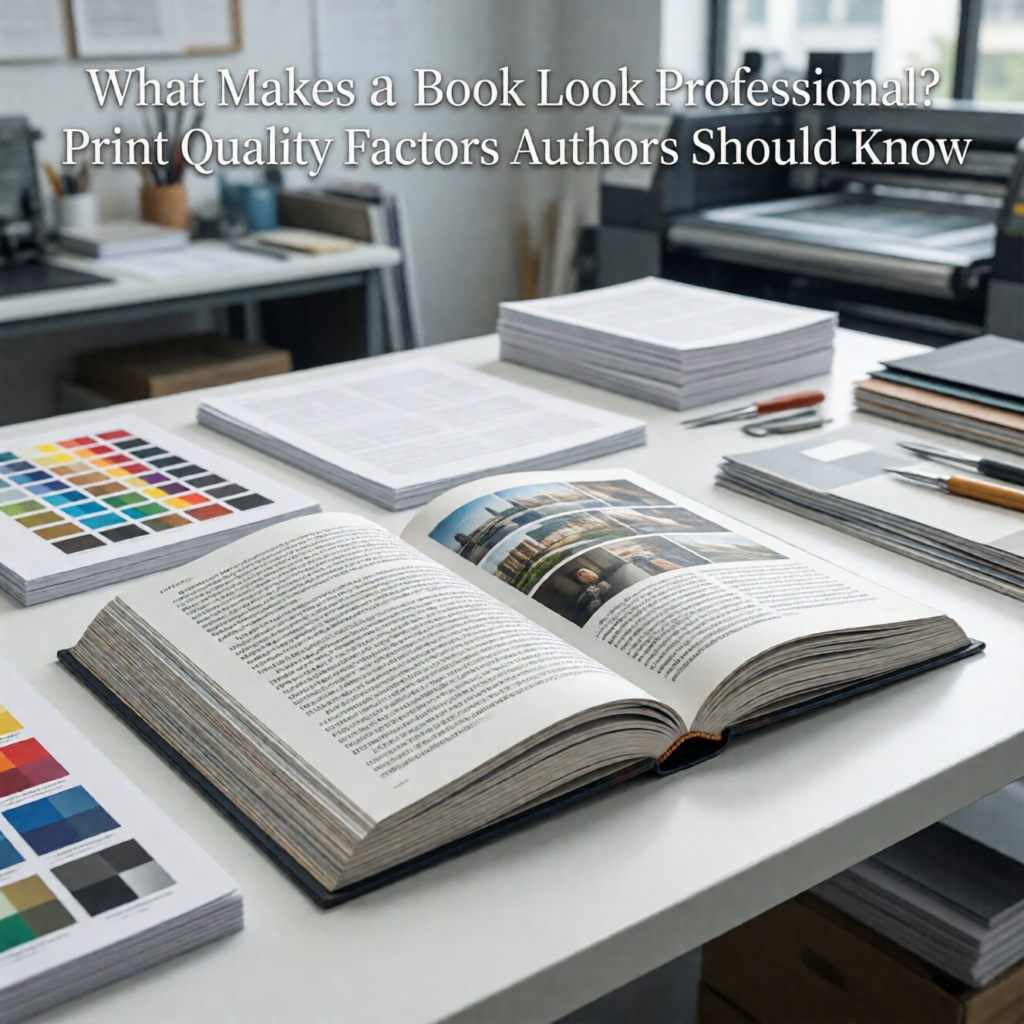
What Makes a Book Look Professional? Print Quality Factors Authors Should Know

For authors and organisations looking for book printing in Singapore, knowing what contributes to a professional-looking book can also make it easier to communicate your requirements to a printing service.

Table of Contents

  1. Why Print Quality Matters
  2. Start With a Professional Book Layout
  3. Use High-Quality Images
  4. Choose Suitable Paper
  5. Pay Attention to Colour Accuracy
  6. Select the Right Cover Finish
  7. Choose an Appropriate Binding
  8. Ensure Text Is Sharp and Readable
  9. Maintain Consistent Page Quality
  10. Check Trim, Margins and Bleed
  11. Always Review a Proof
  12. Final Thoughts

1. Why Print Quality Matters

Readers notice the physical quality of a book almost immediately.

A well-printed publication can create a positive first impression, while poor production quality can make even excellent content appear less professional.

Common signs of a low-quality printed book include:

  • Blurry images
  • Faded or inconsistent colours
  • Crooked pages
  • Poorly aligned text
  • Weak binding
  • Incorrect trimming
  • Paper that does not suit the content
  • Cover graphics that look dull or unclear

These issues can affect the reader’s experience and may be particularly noticeable for books being sold commercially, presented to clients or used as professional publications.

A professional appearance begins with good design but must continue through the printing and finishing process.

2. Start With a Professional Book Layout

The printing process cannot completely fix a poorly prepared document.

Before sending your book to print, make sure the layout has been carefully reviewed.

Important elements include:

  • Page size
  • Margins
  • Font selection
  • Font size
  • Line spacing
  • Paragraph spacing
  • Chapter headings
  • Page numbers
  • Headers and footers
  • Image placement

Good typography should make the book comfortable to read.

Text should not be crowded against the margins, and headings should follow a consistent structure throughout the publication.

Authors should also check the transition between chapters and ensure that pages do not contain unexpected blank spaces, isolated lines or badly positioned headings.

A clean layout creates the foundation for professional book printing.

3. Use High-Quality Images

Images can have a major impact on the perceived quality of a book.

Low-resolution photographs may appear acceptable on a computer screen but become visibly blurry or pixelated when reproduced at a larger physical size.

Before printing, review every important image at the size it will appear in the finished book.

Check for:

  • Resolution
  • Sharpness
  • Brightness
  • Contrast
  • Cropping
  • Colour
  • Proportion

The original high-quality photograph or illustration should be used whenever possible instead of a compressed image downloaded from a website or captured as a screenshot.

Books containing photography, illustrations, charts or diagrams require particularly careful image preparation because visual defects can become prominent on the printed page.

4. Choose Suitable Paper

Paper affects both the appearance and physical feel of a book.

Different publications can require different paper characteristics.

For example, a novel designed primarily for reading may have different requirements from a children’s activity book or a publication containing many photographs.

When selecting paper, consider:

Readability: Is the paper suitable for extended reading?

Writing: Will readers or students need to write on it?

Image reproduction: Does the publication contain photographs or detailed illustrations?

Thickness: Does the book need to feel substantial?

Weight: Will the book be carried frequently?

The thickest paper is not automatically the best option. Good book printing involves choosing paper that matches the purpose of the publication.

5. Pay Attention to Colour Accuracy

Colour plays an important role in professional printing, particularly when a publication contains photographs, illustrations, corporate branding or colourful graphics.

Colours displayed on a computer or smartphone screen may not look exactly the same on printed paper.

This is because screens and printed materials use different methods of producing colour.

Authors should therefore follow the colour specifications recommended by their printing provider.

Colour consistency is especially important when the same brand colours or design elements appear throughout a book.

For example, if a corporate publication uses a particular logo colour, significant variations from page to page may make the finished product look inconsistent.

Reviewing a proof before full production can help identify colour issues before a larger quantity is printed.

6. Select the Right Cover Finish

The cover is often the first part of a book that readers see, making it an important part of its professional appearance.

The cover should combine an appropriate design with a suitable material and finish.

Depending on the project, options may include different paper stocks and surface finishes.

A cover finish can affect:

  • Colour appearance
  • Surface feel
  • Durability
  • Resistance to handling
  • Overall visual impression

Glossy finishes can create a bright and reflective appearance, while matte finishes can provide a more subdued look.

The right choice depends on the type of book and the desired appearance.

Authors should also make sure that important cover elements such as the title, author’s name and other text are positioned safely away from trimming areas.

7. Choose an Appropriate Binding

Binding is both a functional and visual component of a professionally printed book.

The best binding depends on factors such as page count, intended use, durability requirements and desired appearance.

A book that will be opened repeatedly needs a binding method that can withstand regular handling.

Authors should therefore consider:

  • How frequently the book will be used
  • Whether it needs to open easily
  • Number of pages
  • Expected lifespan
  • Cover style
  • Overall presentation

A well-designed cover cannot compensate for a binding method that is unsuitable for the intended use.

For commercial publications, the binding should also complement the overall design and positioning of the book.

8. Ensure Text Is Sharp and Readable

Text quality may seem obvious, but it is one of the most important aspects of professional book printing.

Readers should be able to read the text comfortably without noticing inconsistencies in sharpness, alignment or density.

Before printing, check:

  • Font size
  • Font consistency
  • Line spacing
  • Paragraph alignment
  • Bold and italic formatting
  • Special characters
  • Mathematical symbols
  • Page numbers

Fonts should also be handled properly in the print-ready file to minimise unexpected changes during production.

Small text deserves particular attention. Text that looks acceptable on a large screen may become difficult to read when printed at a small size.

The goal should always be comfortable reading rather than trying to fit as much content as possible onto each page.

9. Maintain Consistent Page Quality

A professional book should look consistent from the first page to the last.

Inconsistent production may become visible through differences in colour, image quality, alignment or page appearance.

Consistency is particularly important for books containing many photographs, illustrations or designed elements.

The following should be checked throughout the document:

  • Image quality
  • Colour
  • Margins
  • Typography
  • Page numbering
  • Headings
  • Captions
  • Spacing

A single poorly formatted page can stand out noticeably in an otherwise polished publication.

Authors should therefore avoid reviewing only the first few pages. The complete document needs to be checked before it enters production.

10. Check Trim, Margins and Bleed

Technical layout settings can have a significant effect on the final printed result.

Trim refers to the final size of the printed page after it has been cut.

Bleed is additional artwork extending beyond the intended trim edge when a design reaches the edge of the page.

Without appropriate bleed, a page intended to have a full-colour background or full-page photograph may end up with an unwanted white edge after trimming.

Important text and other essential elements should also be positioned within a safe area away from the trim edge.

The exact requirements can differ between printing providers, so authors should follow the specifications given by their chosen book printer.

11. Always Review a Proof

One of the most effective ways to improve print quality is to review a physical proof before proceeding with a larger print run.

A proof allows authors to evaluate the actual printed result rather than relying entirely on what appears on a monitor.

During proofing, look at:

  • Cover colours
  • Text sharpness
  • Image reproduction
  • Paper appearance
  • Page alignment
  • Cropping
  • Margins
  • Binding
  • Overall presentation

Read several pages rather than simply looking at the cover.

For books with photographs or illustrations, inspect important visual pages carefully.

A proof can reveal problems that may not be obvious in the digital document, giving the author an opportunity to correct them before full production.

12. Final Thoughts

A professional-looking book is the result of many decisions working together.

Good design, high-quality images, suitable paper, accurate colours, appropriate binding and careful finishing all contribute to the final result. Technical details such as margins, bleed and trimming are equally important because even a beautiful design can be affected by incorrect production preparation.

Authors should also remember that professional book printing begins before the file reaches the printer. The manuscript should be carefully edited and the layout thoroughly checked before production.

For anyone planning book printing in Singapore, providing a properly prepared file and clearly communicating the intended use of the publication can help the printer recommend suitable production options.

Most importantly, do not judge the finished quality solely from a digital screen. A physical proof provides a valuable opportunity to see how the design, paper, colour and images work together in real life.

When every stage is carefully considered, the result can be a book that not only contains quality content but also looks professional, feels substantial and provides readers with a better overall experience.

Filed Under: Book Printing, Book Publishing

How to Prepare Images and Illustrations for High-Quality Book Printing

September 13, 2026 by admin

Images and illustrations can transform a book from a simple collection of text into a visually engaging publication. Whether you are printing a novel with photographs, a children’s book with illustrations, a company publication, an educational guide or a photo book, the quality of the original images has a major influence on the final printed result.

An image that looks sharp on a computer screen may not always produce the same result when printed. Problems such as low resolution, incorrect colour settings, poor image quality and improper file preparation can become much more noticeable on the finished page.

Understanding how to prepare images correctly before sending a book to print can help authors, designers, schools and businesses achieve a more professional result.

How to Prepare Images and Illustrations for High-Quality Book Printing

Table of Contents

  1. Why Image Quality Matters in Book Printing
  2. Check the Resolution of Your Images
  3. Understand Image Size and Print Size
  4. Use the Right Colour Mode
  5. Prepare Images for Full-Page Printing
  6. Add Sufficient Bleed for Images
  7. Avoid Using Low-Quality Screenshots
  8. Check Photographs Before Printing
  9. Preparing Illustrations and Graphics
  10. Consider Image Placement in the Book
  11. Review a Proof Before Full Production
  12. Final Thoughts

1. Why Image Quality Matters in Book Printing

Images are processed differently when displayed on a screen and when reproduced on printed paper.

A photograph may look excellent on a phone or monitor because screens display images using light. Printing reproduces the image using ink or toner on physical paper.

As a result, an image that appears acceptable digitally may reveal problems when printed at a larger size.

Common image-related printing problems include:

  • Blurry photographs
  • Pixelated images
  • Poor contrast
  • Incorrect colours
  • Jagged lines
  • Missing details
  • Images that appear too dark
  • Uneven image quality between pages

These problems can reduce the overall quality of a book, especially when photographs or illustrations occupy a large portion of the page.

Preparing images correctly before book printing can reduce the risk of these issues.

2. Check the Resolution of Your Images

Resolution is one of the most important factors to consider when preparing images for printing.

A low-resolution image contains fewer pixels. When it is enlarged for a printed page, individual pixels may become visible, causing the image to appear blurry or pixelated.

A high-resolution image contains more information and generally provides better results when reproduced at an appropriate physical size.

Before sending your book to print, check the resolution of important photographs and illustrations.

Do not simply judge an image by looking at it on your computer screen. Instead, consider how large the image will actually appear on the printed page.

An image that is small on the page may be suitable at a particular resolution, while the same image enlarged to cover an entire page may require significantly more image data.

3. Understand Image Size and Print Size

Image resolution and physical print size are closely related.

For example, an image may look sharp when inserted as a small photograph but lose quality if stretched across an entire page.

When designing a book, decide the intended physical size of the image first.

Consider:

  • Width of the image
  • Height of the image
  • Final book size
  • Image resolution
  • Cropping requirements
  • Whether the image spans one page or two pages

Avoid enlarging a small image simply to fill a large area.

A useful practice is to prepare images at approximately the size they will appear in the final publication rather than creating a tiny image and enlarging it significantly during layout.

This allows designers to evaluate the image more realistically before printing.

4. Use the Right Colour Mode

Colour management is another important consideration.

Digital images are often created and displayed in RGB colour, while commercial printing processes may use different colour specifications.

RGB stands for red, green and blue. These are the primary colour channels used by many digital screens.

CMYK refers to cyan, magenta, yellow and black, which are commonly associated with four-colour printing.

Because screen and print colour reproduction are different, colours may appear differently after printing.

For important colour publications, images should be prepared according to the specifications provided by the printing company.

Pay particular attention to:

  • Photographs
  • Logos
  • Brand colours
  • Illustrations
  • Colour charts
  • Background colours

Do not assume that colours displayed on your monitor will be identical to the printed result.

A professional printing service can provide guidance about the appropriate colour settings for the specific production process.

5. Prepare Images for Full-Page Printing

Large images require additional attention because imperfections become more obvious when the image occupies a substantial area.

Full-page photographs should be checked carefully for:

  • Sharpness
  • Resolution
  • Cropping
  • Colour
  • Brightness
  • Contrast
  • Important details near the edges

Look closely at the image at its intended print size.

A photograph that is acceptable as a small thumbnail may reveal distracting flaws once enlarged.

For books containing full-page photography, it can also be useful to review the sequence of images. Similar photographs placed next to one another should have reasonably consistent brightness and colour so that the book feels visually cohesive.

6. Add Sufficient Bleed for Images

When an image or background extends to the edge of a printed page, the layout may need to include bleed.

Bleed provides additional image area beyond the final trimmed edge. This helps prevent unwanted white edges if the paper is trimmed slightly differently during production.

Images intended to extend to the edge should therefore be designed with the required bleed in mind.

When preparing your file, follow the printing company’s exact bleed specifications.

Also avoid placing important text, faces, logos or other critical elements too close to the trim edge.

This is particularly important for:

  • Full-page photographs
  • Cover backgrounds
  • Full-bleed illustrations
  • Colour backgrounds
  • Decorative graphics

The exact technical requirements may differ depending on the printer and production method, so always use the printer’s specifications.

7. Avoid Using Low-Quality Screenshots

Screenshots are convenient, but they are not always suitable for professional book printing.

A screenshot may have insufficient resolution for the final physical size of the image.

This can be a problem when printing:

  • Charts
  • Graphs
  • Diagrams
  • Website images
  • Social media content
  • Digital illustrations

Whenever possible, use the original high-quality image or source artwork rather than capturing a screenshot.

For charts and diagrams, vector artwork can be particularly useful because it can generally be resized without the same pixelation associated with raster images.

8. Check Photographs Before Printing

Photographs should receive a careful review before they are included in a book.

Look for technical issues such as blur, excessive noise, poor exposure or unwanted objects.

Also consider whether the photograph communicates what you want the reader to see.

A photograph may be technically sharp but still look poor in print because it is too dark or has insufficient contrast.

When reviewing photographs, pay attention to:

Brightness: Is the subject clearly visible?

Contrast: Can readers distinguish important details?

Colour: Are the colours appropriate for the publication?

Cropping: Does the composition work with the page layout?

Sharpness: Does the image remain clear at the final size?

It is better to identify these issues during the design stage than after hundreds of copies have already been printed.

9. Preparing Illustrations and Graphics

Illustrations require some of the same considerations as photographs, but they may have additional technical requirements.

Line drawings, icons, diagrams and charts should remain clear when reproduced at their intended size.

Fine lines can become difficult to see if they are too thin or if contrast is insufficient.

Text contained inside illustrations should also be large enough to remain readable in print.

For example, a chart designed for a large computer monitor may contain labels that become extremely small when placed into a printed book.

Always check the illustration within the actual page layout rather than reviewing the artwork by itself.

10. Consider Image Placement in the Book

Good image preparation involves more than technical quality.

The image should also work with the surrounding text and page design.

Think about:

  • Margins
  • Captions
  • Page balance
  • Text wrapping
  • Chapter breaks
  • Image sequence
  • White space

Avoid forcing an image into an area that is too small simply because the original design does not provide enough space.

Similarly, avoid stretching photographs disproportionately.

Images should normally maintain their original aspect ratio unless the image has intentionally been cropped during design.

A consistent approach to image placement can make the finished book look more professional.

11. Review a Proof Before Full Production

One of the most valuable steps before a large printing run is reviewing a proof.

A proof gives you an opportunity to examine how the document looks in physical form before committing to full production.

During the proofing stage, inspect:

  • Image sharpness
  • Colour appearance
  • Cropping
  • Page alignment
  • Captions
  • Image placement
  • Bleed
  • Overall page quality

Pay particular attention to photographs that are especially important to the book.

A physical proof can reveal issues that may be difficult to identify on a computer monitor.

For larger projects, it is worth having the final document reviewed by more than one person. Authors, editors, designers and subject specialists may notice different problems.

12. Final Thoughts

Preparing images properly is an important part of producing a high-quality printed book.

Resolution, physical image size, colour settings, bleed, cropping and layout can all influence the final result. Simply inserting a photograph into a document does not guarantee that it will print well.

Before sending your book for production, review every important image at its intended print size. Replace low-quality sources where possible, avoid unnecessary enlargement and follow the technical specifications supplied by your printing service.

It is also important to remember that image quality is only one part of the overall printing process. Paper selection, binding, finishing and file preparation can also influence the appearance and usability of the finished publication.

For authors, schools, businesses and organisations planning book printing in Singapore, careful image preparation can help ensure that photographs, illustrations and graphics reproduce clearly and professionally.

A well-prepared file gives the printer a stronger foundation for producing a finished book that looks closer to the original design and provides readers with a better visual experience.

Filed Under: Book Printing, Book Publishing

How to Get Your Book Ready for Commercial Printing: A Complete Pre-Press Checklist

August 27, 2026 by admin

Preparing your book correctly before printing is one of the most important steps in the publishing process. Even a beautifully written manuscript can result in poor print quality if the files are not properly prepared. Common issues such as blurry images, incorrect colours, missing fonts, or improper page sizing can delay production and increase printing costs.

Whether you are printing novels, textbooks, company reports, training manuals, children’s books, or catalogues, following a professional pre-press checklist helps ensure your files are ready for commercial printing.

How to Get Your Book Ready for Commercial Printing A Complete Pre-Press Checklist

This guide explains everything you should check before submitting your files to a professional book printing company in Singapore.


Table of Contents

  1. What is Pre-Press?
  2. Why Print-Ready Files Matter
  3. Choose the Correct Book Size
  4. Set Up Bleed and Safe Margins
  5. Use the Correct Colour Mode
  6. Check Image Resolution
  7. Embed or Outline Fonts
  8. Export a Print-Ready PDF
  9. Design Your Cover Correctly
  10. Review Every Page Carefully
  11. Common Pre-Press Mistakes
  12. Final Pre-Press Checklist
  13. Frequently Asked Questions
  14. Final Thoughts

What is Pre-Press?

Pre-press refers to all the preparation work completed before your files are sent to the printing press.

This stage includes:

  • Checking page size
  • Reviewing artwork
  • Inspecting images
  • Verifying colours
  • Confirming fonts
  • Preparing print-ready PDF files
  • Checking page order
  • Reviewing bleed and margins

A properly prepared file helps avoid costly printing errors and production delays.


Why Print-Ready Files Matter

Professional printing machines reproduce exactly what is supplied.

If your file contains mistakes, they will usually appear in the printed book.

Proper preparation ensures:

  • Sharp images
  • Accurate colours
  • Correct page alignment
  • Clean trimming
  • Professional appearance
  • Faster production
  • Lower risk of reprinting

Spending extra time reviewing your files can save both time and money.


Choose the Correct Book Size

Your document should be created using the final trim size.

Popular book sizes include:

Book SizeDimensions
A5148 × 210 mm
A4210 × 297 mm
B5176 × 250 mm
Square210 × 210 mm
CustomBased on project requirements

Avoid designing on one page size and resizing later, as this can affect image quality and page layout.


Set Up Bleed and Safe Margins

Bleed is the extra artwork that extends beyond the trim edge of the page.

Most commercial printers recommend:

  • 3 mm bleed on all sides

Without bleed, tiny white edges may appear after trimming.


Safe Margin

Keep important content away from the trim edge.

This includes:

  • Text
  • Logos
  • Page numbers
  • Important illustrations

A safe margin of at least 10 mm helps prevent accidental trimming.


Use the Correct Colour Mode

Professional printing uses CMYK, while most digital screens display colours in RGB.

Always design your files in CMYK before exporting.

Benefits include:

  • More accurate printed colours
  • Better colour consistency
  • Fewer unexpected colour shifts

Converting RGB files at the last minute may produce different colours than expected.


Check Image Resolution

Low-resolution images often appear blurry or pixelated after printing.

Recommended resolution:

  • Minimum 300 DPI

Avoid:

  • Images copied from websites
  • Screenshots
  • Social media photos
  • Low-quality downloads

High-resolution images produce sharper and more professional results.


Embed or Outline Fonts

Missing fonts can change your entire document layout.

Before submitting:

  • Embed all fonts when exporting your PDF.
  • Alternatively, convert fonts to outlines if required by your printer.

This ensures your document appears exactly as designed.


Export a Print-Ready PDF

PDF is the preferred format for commercial printing.

When exporting:

  • Use high-quality print settings.
  • Include bleed.
  • Embed fonts.
  • Preserve image quality.
  • Do not downsample images unnecessarily.

Avoid submitting editable Word, PowerPoint, or Publisher files unless specifically requested.


Design Your Cover Correctly

Book covers require separate preparation from the inside pages.

Your cover should include:

  • Front cover
  • Back cover
  • Spine
  • Bleed
  • Safe margins

The spine width depends on:

  • Number of pages
  • Paper thickness
  • Binding method

Always confirm the exact spine measurement with your printing company before finalising your artwork.


Review Every Page Carefully

Before sending your files, perform a thorough review.

Check for:

  • Spelling mistakes
  • Grammar errors
  • Missing pages
  • Incorrect page numbers
  • Blank pages
  • Cropped images
  • Misaligned text
  • Consistent spacing

Reading through your book one final time helps catch errors that are easily overlooked.


Common Pre-Press Mistakes

Many first-time authors encounter avoidable problems.

Common mistakes include:

  • Using RGB instead of CMYK
  • Forgetting bleed
  • Images below 300 DPI
  • Missing fonts
  • Incorrect page size
  • Text too close to the edge
  • Wrong page order
  • Low-quality logos
  • Incorrect spine width
  • Exporting low-resolution PDFs

Avoiding these mistakes results in a smoother production process.


Final Pre-Press Checklist

Before submitting your files, confirm the following:

  • Final trim size is correct.
  • Bleed has been added.
  • Safe margins are observed.
  • Images are at least 300 DPI.
  • Colours are in CMYK.
  • Fonts are embedded or outlined.
  • PDF has been exported using print-quality settings.
  • Cover includes the correct spine width.
  • Page numbers are correct.
  • Spelling and grammar have been checked.
  • All pages are present and in the correct order.
  • A final proof has been reviewed.

Completing this checklist significantly reduces the risk of printing errors.


Frequently Asked Questions

Why do printers ask for PDF files?

PDF files preserve the layout, fonts, images, and formatting, ensuring the printed book matches the original design.


What happens if I forget to add bleed?

Without bleed, small white borders may appear around the edges after trimming, affecting the professional appearance of the book.


Can I use RGB images?

RGB images can be converted, but colours may shift during the printing process. Designing in CMYK from the beginning provides more predictable results.


Why is 300 DPI recommended?

Images printed at 300 DPI produce sharp, clear results suitable for professional commercial printing.


Can the printer check my files before printing?

Many professional book printing companies provide a pre-press review and may identify technical issues before production begins. However, authors remain responsible for proofreading the content and confirming that all information is correct.


Final Thoughts

Proper pre-press preparation is the foundation of a successful book printing project. By ensuring your files have the correct page size, bleed, colour settings, image resolution, fonts, and print-ready PDF format, you can minimise production delays and avoid costly mistakes. Taking the time to perform a thorough final review also helps eliminate typographical errors and layout issues before your book reaches the printing press.

Whether you are printing novels, children’s books, company reports, educational materials, or product catalogues, following a comprehensive pre-press checklist gives you confidence that your files are ready for commercial production. Working closely with an experienced book printing company and preparing your artwork correctly will help ensure your finished books look professional, meet industry standards, and leave a lasting impression on your readers.

Filed Under: Book Printing, Book Publishing

Children’s Book Printing in Singapore: Complete Guide for Authors and Publishers

August 20, 2026 by admin

Printing a children’s book requires much more than simply choosing colourful illustrations and attractive fonts. The size of the book, paper quality, binding method, printing technique, and overall durability all contribute to creating an enjoyable reading experience for young readers.

Whether you are a first-time author, educator, publisher, or business producing educational materials, understanding the book printing process can help you produce a high-quality children’s book that is both visually appealing and built to last.

Children's Book Printing in Singapore Complete Guide for Authors and Publishers

This guide explains everything you need to know about children’s book printing in Singapore, from selecting the right materials to preparing your files for professional printing.


Table of Contents

  1. Why Children’s Books Require Special Printing
  2. Choosing the Right Book Size
  3. Selecting the Best Paper
  4. Hardcover vs Softcover
  5. Colour Printing for Children’s Books
  6. Choosing the Right Binding Method
  7. Image Resolution and Artwork Preparation
  8. Safety and Durability Considerations
  9. Printing Costs
  10. Common Mistakes to Avoid
  11. Frequently Asked Questions
  12. Final Thoughts

Why Children’s Books Require Special Printing

Children’s books are different from novels or textbooks. Young readers are attracted to colourful illustrations, large text, and interactive layouts that encourage learning and imagination.

A well-printed children’s book should be:

  • Easy to hold
  • Durable
  • Safe for young children
  • Bright and colourful
  • Comfortable to read
  • Resistant to frequent handling

Investing in quality printing ensures your book leaves a positive impression on both children and parents.


Choosing the Right Book Size

Book size plays an important role in the reading experience.

Popular sizes include:

Book SizeBest For
A4 (210 × 297 mm)Educational books and activity books
A5 (148 × 210 mm)Storybooks with more text
210 × 210 mmPicture books
200 × 200 mmChildren’s storybooks
Landscape FormatInteractive books and early learning books

Square books remain one of the most popular choices because they provide plenty of space for illustrations while remaining easy for children to hold.


Selecting the Best Paper

Paper quality affects both durability and print appearance.

Art Paper

Best for:

  • Bright illustrations
  • Picture books
  • Storybooks

Advantages:

  • Smooth surface
  • Vibrant colours
  • Sharp image reproduction

Woodfree Paper

Suitable for:

  • Activity books
  • Colouring books
  • Educational workbooks

Advantages:

  • Easy to write on
  • Reduces glare
  • Comfortable for reading

Thick Paper

Books intended for toddlers often use thicker paper to reduce tearing and improve durability.


Hardcover vs Softcover

Both options have their advantages.

Hardcover

Ideal for:

  • Premium storybooks
  • Gift books
  • Libraries
  • Schools

Advantages:

  • Excellent durability
  • Premium appearance
  • Longer lifespan
  • Better protection for pages

Disadvantages:

  • Higher production cost
  • Slightly heavier

Softcover

Suitable for:

  • Classroom books
  • Promotional books
  • Short story collections
  • Budget-friendly publications

Advantages:

  • Lower cost
  • Lightweight
  • Easy to carry
  • Faster production

Many first-time authors choose softcover editions before producing hardcover versions.


Colour Printing for Children’s Books

Children’s books rely heavily on colourful illustrations to capture attention.

Professional full-colour printing offers:

  • Bright colours
  • Smooth gradients
  • Sharp illustrations
  • Consistent image quality

Using high-quality colour printing helps characters and artwork appear vibrant and engaging.


Choosing the Right Binding Method

Different binding methods suit different types of children’s books.

Perfect Binding

Suitable for:

  • Storybooks
  • Educational books
  • Picture books

Produces a clean, professional appearance.


Saddle Stitch Binding

Suitable for:

  • Thin books
  • Activity books
  • Short readers

Cost-effective for books with a lower page count.


Spiral Binding

Best for:

  • Workbooks
  • Colouring books
  • Activity books

Allows pages to lie flat for easier writing and colouring.


Hardcover Binding

Recommended for:

  • Premium children’s books
  • Keepsake editions
  • Library books

Provides maximum durability and a high-quality finish.


Image Resolution and Artwork Preparation

Children’s books depend on high-quality illustrations.

To achieve the best print results:

  • Use images with at least 300 DPI.
  • Design using CMYK colour mode.
  • Extend artwork to include bleed.
  • Keep important text inside the safe area.
  • Use professional fonts with good readability.

Preparing print-ready artwork helps prevent unexpected printing issues.


Safety and Durability Considerations

Children frequently handle books, making durability especially important.

Consider:

  • Strong binding
  • Scratch-resistant lamination
  • Thick cover stock
  • Durable inner pages
  • Rounded corners for younger readers, if required

Selecting quality materials extends the life of the book, especially for classroom or library use.


Printing Costs

The total printing cost depends on several factors.

These include:

  • Quantity ordered
  • Book size
  • Number of pages
  • Paper type
  • Colour or black-and-white printing
  • Binding method
  • Cover finish
  • Special finishing options

Generally, larger print quantities reduce the cost per copy, making bulk printing more economical for schools, publishers, and businesses.


Common Mistakes to Avoid

Many first-time authors encounter avoidable problems during production.

Common mistakes include:

  • Using low-resolution images
  • Choosing paper that is too thin
  • Selecting fonts that are difficult for children to read
  • Designing pages too close to the binding edge
  • Forgetting bleed during artwork preparation
  • Using overly complex page layouts
  • Printing without checking a proof copy

Careful planning helps ensure a smooth printing process and a professional final product.


Frequently Asked Questions

What is the best size for a children’s book?

Square formats such as 200 × 200 mm or 210 × 210 mm are popular because they provide ample space for illustrations while remaining comfortable for children to hold.


Should I choose hardcover or softcover?

Hardcover is ideal for premium books, libraries, and gifts due to its durability. Softcover is more economical and suitable for educational materials, promotional books, and general retail sales.


Which paper is best for children’s books?

Art paper is excellent for colourful illustrations, while woodfree paper is better for activity books and workbooks where children need to write or draw.


Can I print a small quantity?

Yes. Digital printing makes it possible to produce short runs for authors who wish to test the market before committing to a larger print order.


Is bulk printing more cost-effective?

Yes. Printing larger quantities significantly reduces the cost per copy, making it the preferred option for publishers, schools, and organisations.


Final Thoughts

Creating a successful children’s book involves much more than writing an engaging story. Choosing the right book size, paper type, binding method, and printing finish all contribute to producing a book that is attractive, durable, and enjoyable for young readers. High-quality illustrations, vibrant colour printing, and professional finishing help capture children’s attention while ensuring the book withstands repeated use.

Whether you are publishing your first picture book, producing educational materials for schools, or printing a series of children’s storybooks, working with an experienced book printing company ensures your project is completed to a professional standard. By carefully planning each stage of the printing process, you can create a beautifully finished children’s book that delights readers and leaves a lasting impression.

Filed Under: Book Printing, Book Publishing

Print-on-Demand vs Bulk Book Printing: Which Option Saves More Money?

August 13, 2026 by admin

One of the biggest decisions authors, publishers, businesses, and educational institutions face is whether to choose Print-on-Demand (POD) or Bulk Book Printing. Both methods have their own advantages, and the right choice depends on your budget, order quantity, timeline, and business goals.

While Print-on-Demand offers flexibility for small orders, bulk book printing provides significant cost savings for larger print runs. Understanding the differences between these two printing methods can help you make an informed decision and maximise the value of your investment.

Print-on-Demand vs Bulk Book Printing: Which Option Saves More Money?

In this guide, we’ll compare Print-on-Demand and bulk book printing, explain the advantages and disadvantages of each, and help you determine which option best suits your project.


Table of Contents

  1. What is Print-on-Demand?
  2. What is Bulk Book Printing?
  3. Key Differences Between Print-on-Demand and Bulk Printing
  4. Cost Comparison
  5. Print Quality Comparison
  6. Turnaround Time
  7. Customisation Options
  8. Best Choice for Self-Published Authors
  9. Best Choice for Businesses and Schools
  10. When Should You Choose Print-on-Demand?
  11. When Should You Choose Bulk Printing?
  12. Frequently Asked Questions
  13. Final Thoughts

What is Print-on-Demand?

Print-on-Demand (POD) is a printing method where books are produced only after an order has been placed. Instead of printing hundreds or thousands of copies upfront, each book is printed individually or in very small quantities.

This method is commonly used by:

  • First-time authors
  • Independent publishers
  • Online bookstores
  • Businesses testing new products
  • Limited edition publications

Because books are only printed when needed, there is no need to maintain large inventories.


What is Bulk Book Printing?

Bulk book printing involves producing multiple copies in a single print run, usually ranging from 100 to several thousand books.

Professional book printing companies typically use offset or high-volume digital printing for bulk orders.

Bulk printing is suitable for:

  • Book publishers
  • Schools
  • Universities
  • Training centres
  • Government organisations
  • Corporate companies
  • Event organisers
  • Retail bookstores

The more copies printed in one batch, the lower the printing cost per book.


Key Differences Between Print-on-Demand and Bulk Printing

FeaturePrint-on-DemandBulk Printing
Quantity1–50 copies100+ copies
Cost Per BookHigherLower
Upfront InvestmentLowHigher
Inventory RequiredNoYes
TurnaroundFast for small ordersEfficient for large runs
Best ForTesting and small projectsCommercial production

Understanding these differences helps determine which solution offers the best value.


Cost Comparison

Cost is usually the biggest deciding factor.

Print-on-Demand

Advantages:

  • No large upfront payment
  • Print only what you need
  • No warehouse costs
  • Lower financial risk

Disadvantages:

  • Higher price per copy
  • Less economical for large quantities

For example:

Printing one book may cost significantly more than printing the same book as part of a large production run.


Bulk Book Printing

Advantages:

  • Much lower cost per book
  • Better value for large orders
  • Lower long-term production costs

Disadvantages:

  • Larger initial investment
  • Storage space may be required

If you expect to sell hundreds of copies, bulk printing is generally the more cost-effective option.


Print Quality Comparison

Both printing methods can produce excellent results, but there are some differences.

Print-on-Demand

Modern digital printing delivers sharp text and vibrant colours, making it suitable for novels, manuals, and many business publications.

However, colour consistency may vary slightly between separate print runs.


Bulk Printing

Bulk printing often uses offset printing for larger quantities.

Benefits include:

  • Consistent colour accuracy
  • Superior image quality
  • Better reproduction of photographs
  • Excellent finish for premium books

For coffee table books, catalogues, and high-end publications, bulk printing is often preferred.


Turnaround Time

Delivery time depends on order quantity and production method.

Print-on-Demand

Ideal for:

  • Urgent orders
  • Sample copies
  • Small quantities
  • Prototype books

Because fewer books are printed, production can begin almost immediately.


Bulk Printing

Larger print runs require more preparation, including:

  • File checking
  • Colour proofing
  • Press setup
  • Binding
  • Quality inspection

Although production takes longer, large quantities are completed more efficiently than printing each copy individually.


Customisation Options

Both methods offer customisation, but bulk printing usually provides more finishing choices.

Popular options include:

  • Hardcover
  • Softcover
  • Perfect binding
  • Saddle stitching
  • Spiral binding
  • Matte lamination
  • Gloss lamination
  • Spot UV
  • Foil stamping
  • Embossing

Premium finishing is generally more economical when applied to bulk orders.


Best Choice for Self-Published Authors

Self-published authors should consider several factors before deciding.

Choose Print-on-Demand if you:

  • Are publishing your first book
  • Want to test market demand
  • Expect low sales initially
  • Have limited storage space
  • Prefer lower upfront costs

Choose Bulk Printing if you:

  • Already have confirmed buyers
  • Sell books through events
  • Supply bookstores
  • Conduct speaking engagements
  • Want higher profit margins

Many successful authors begin with smaller print runs before moving to bulk printing as demand grows.


Best Choice for Businesses and Schools

Businesses and educational institutions usually benefit more from bulk printing.

Examples include:

  • Employee training manuals
  • Corporate reports
  • Product catalogues
  • School textbooks
  • Student workbooks
  • Event guides
  • Company handbooks

Bulk printing reduces the overall cost while ensuring consistent quality across all copies.


When Should You Choose Print-on-Demand?

Print-on-Demand is ideal if:

  • You only need a few copies.
  • You are testing a new title.
  • Your budget is limited.
  • You want to avoid excess inventory.
  • You frequently update your content.
  • You are printing personalised editions.

This approach offers flexibility without requiring a significant financial commitment.


When Should You Choose Bulk Printing?

Bulk printing is the better choice when:

  • You need more than 100 copies.
  • You want the lowest cost per book.
  • You are supplying retailers.
  • You require premium print quality.
  • You have confirmed customer demand.
  • You are producing textbooks or corporate materials.

The savings per copy become increasingly significant as quantities increase.


Frequently Asked Questions

Is Print-on-Demand cheaper?

For small quantities, yes. However, the cost per copy is higher than bulk printing.


Is bulk printing always more economical?

For medium and large print runs, bulk printing generally offers a much lower cost per book.


Which option provides better print quality?

Both methods produce professional-quality books, but bulk offset printing often provides greater colour consistency and premium finishes for large orders.


Can I start with a small quantity and later print more?

Yes. Many authors begin with a small order to evaluate market demand before moving to larger print runs.


Which option is best for businesses?

Businesses that require employee manuals, catalogues, annual reports, or promotional books usually achieve better value through bulk printing.


Final Thoughts

Both Print-on-Demand and bulk book printing have important roles in today’s publishing industry. Print-on-Demand provides flexibility, lower upfront costs, and minimal inventory requirements, making it an excellent option for first-time authors, small businesses, and projects with uncertain demand. Bulk printing, on the other hand, offers lower unit costs, greater production efficiency, and premium finishing options, making it the preferred choice for commercial publishing, educational institutions, and businesses with established demand.

Before deciding, consider your expected sales volume, available budget, storage capacity, and long-term goals. If you only require a handful of copies or wish to test the market, Print-on-Demand may be the right solution. If you are producing books for retail distribution, corporate use, or educational purposes, bulk book printing will usually provide the best value and the greatest return on investment. Choosing the right printing method ensures your project is both cost-effective and professionally produced.

Filed Under: Book Printing, Book Publishing

  • Page 1
  • Page 2
  • Page 3
  • Interim pages omitted …
  • Page 8
  • Go to Next Page »

Copyright © 2026

WhatsApp us